





KVB
KVB is an online broker providing access to global financial markets through professional trading platforms and a range of trading products.
About KVB
KVB provides online trading services with access to a range of global financial markets. Traders can access products such as Forex, precious metals, indices, commodities, and CFDs through supported trading platforms. The broker offers trading tools, account options, and customer support designed to serve both new and experienced traders.
Available Services
Key Highlights
How to Register and Open a KVB Trading Account
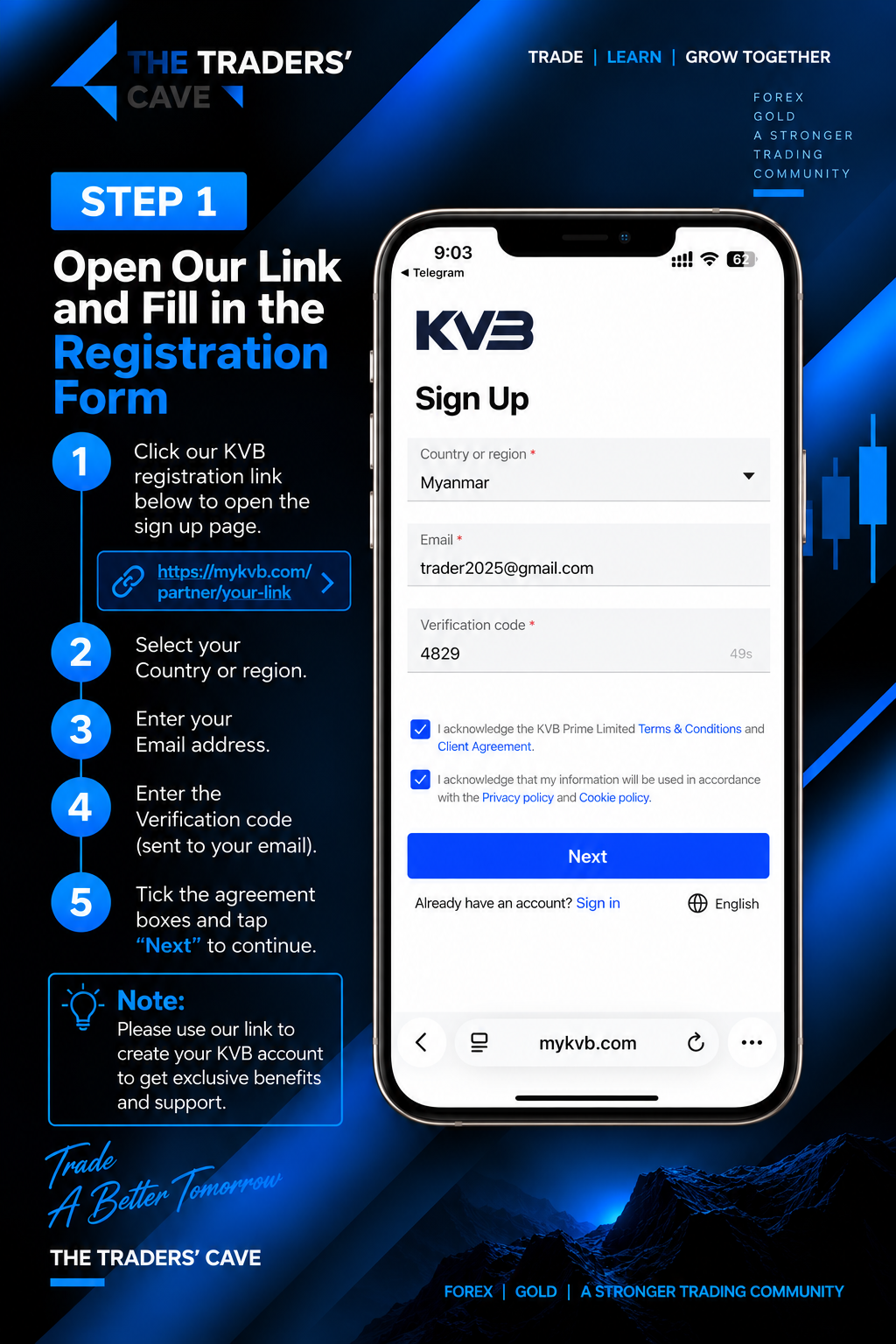
Open our KVB registration link, select your country or region, enter your email address and verification code, accept the required agreements, then tap “Next” to continue.
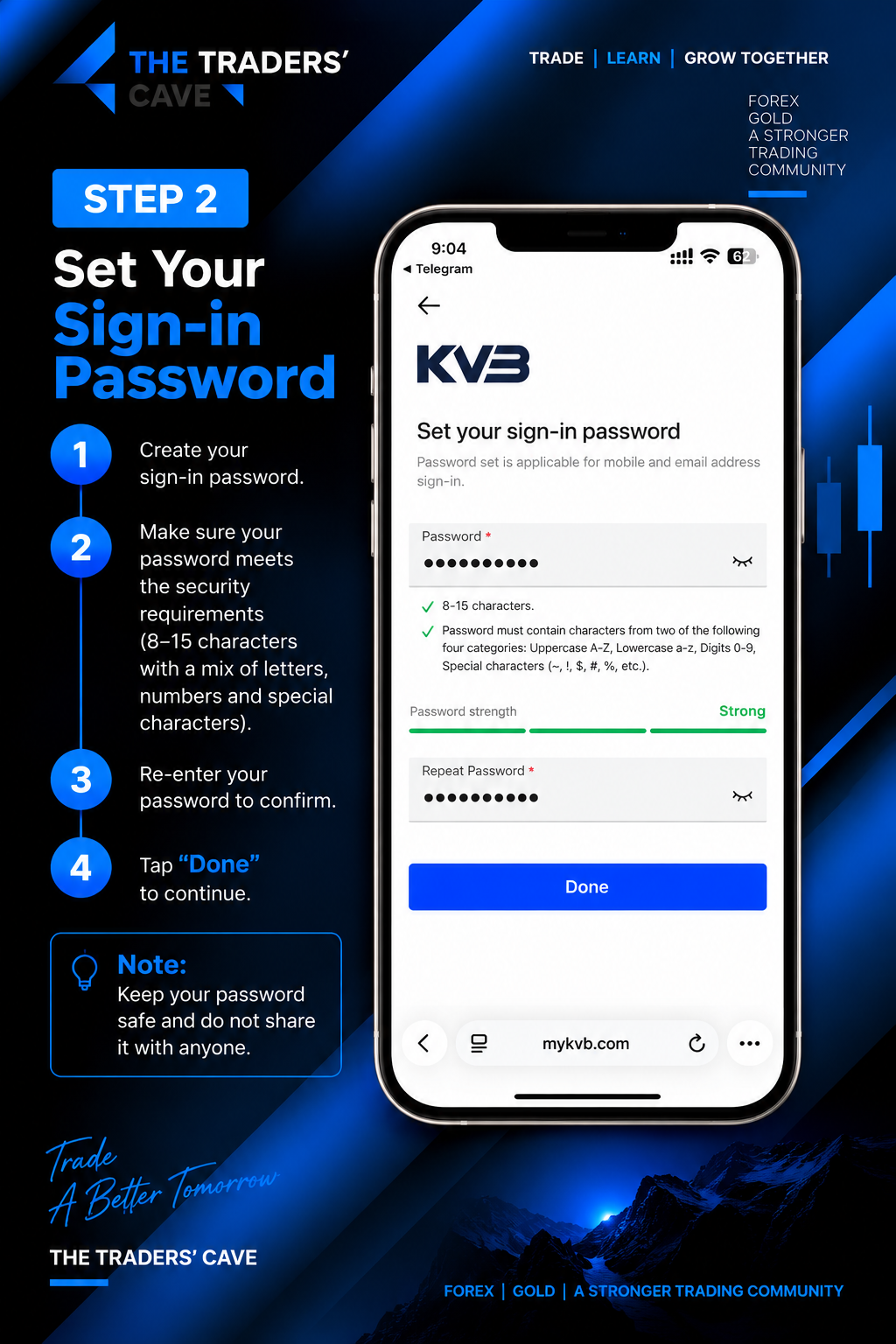
Create your sign-in password according to the password requirements, re-enter it to confirm, then tap “Done” to continue.
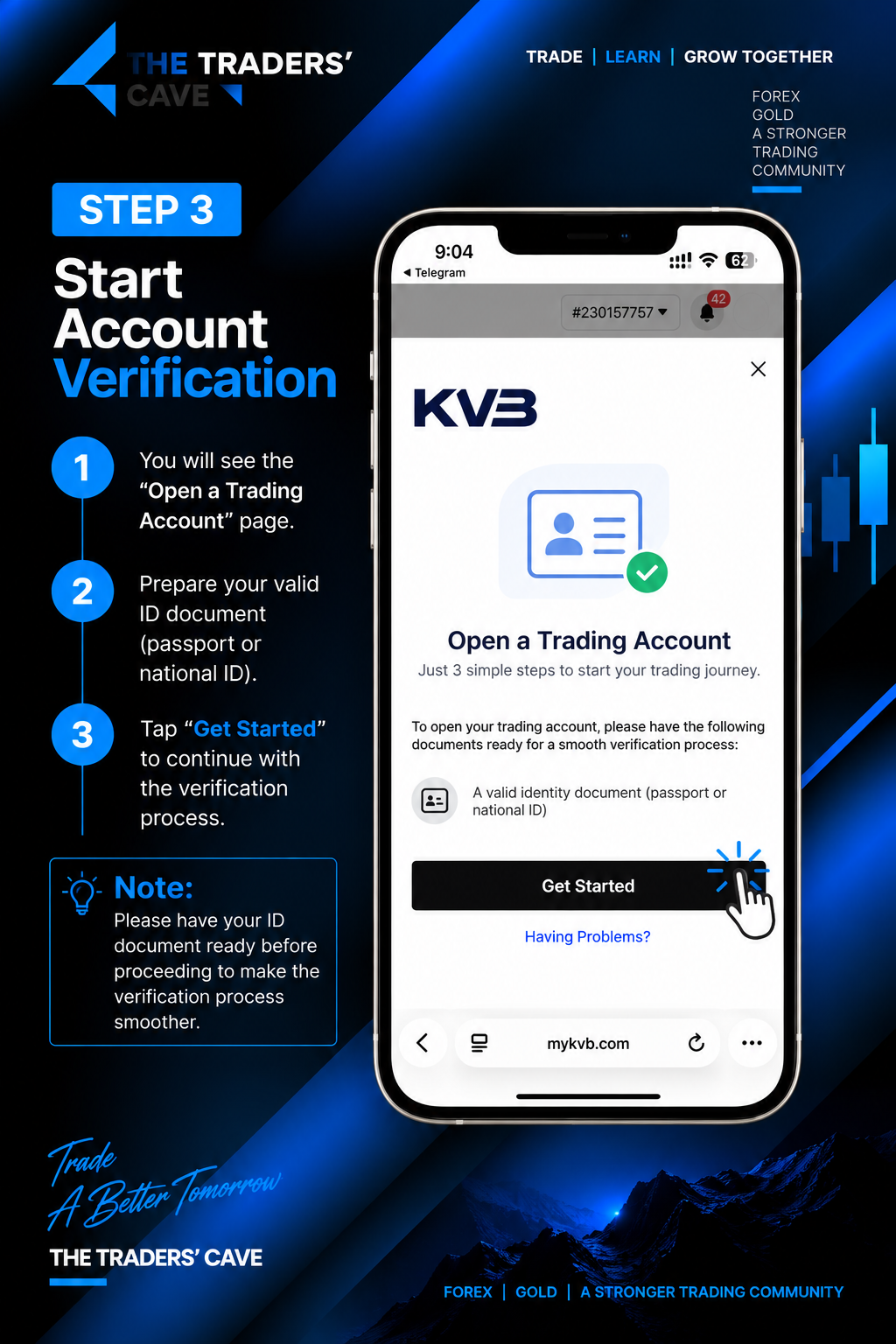
Prepare your valid identity document, such as a passport or national ID, then tap “Get Started” to begin the account verification process.
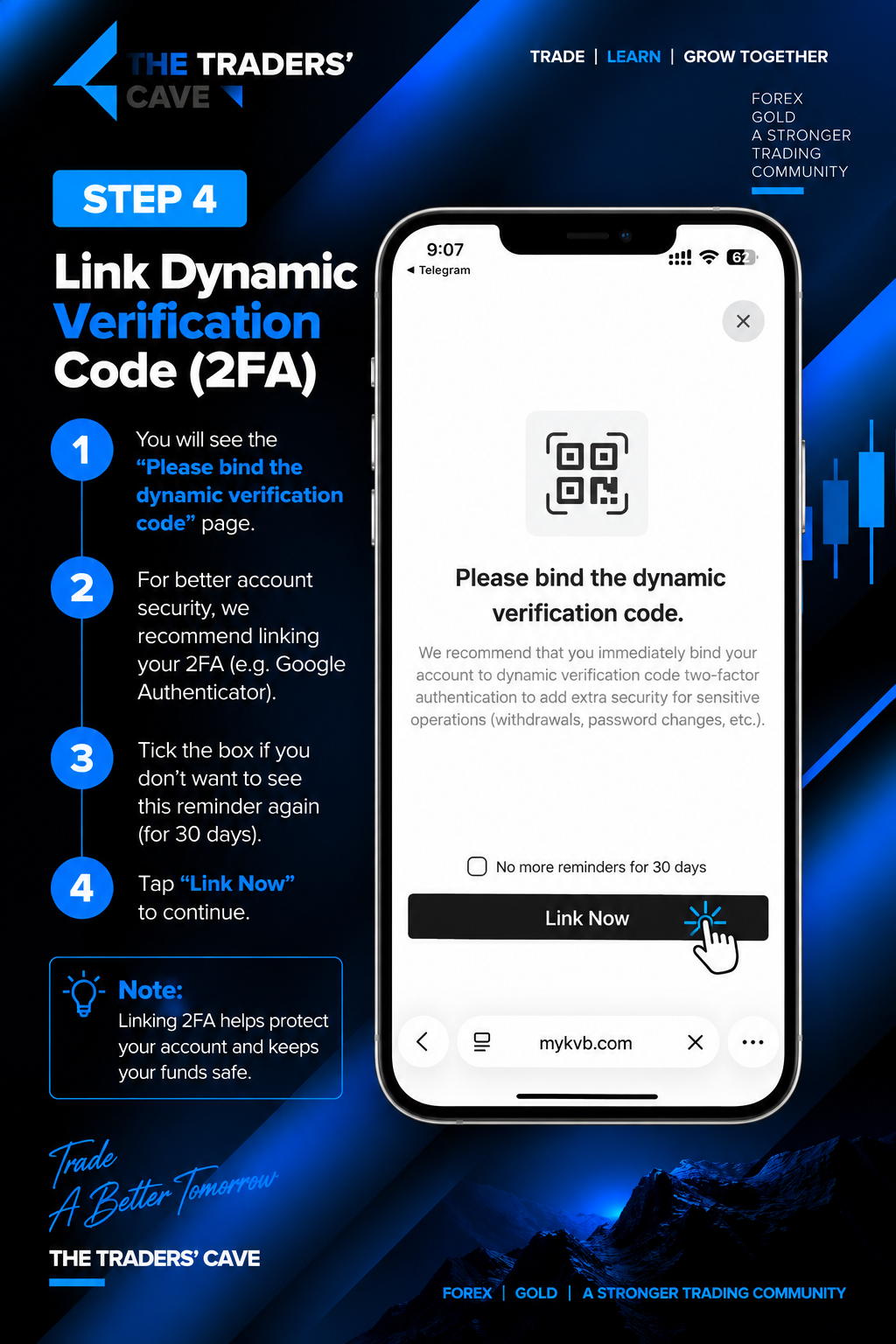
For additional account security, link a dynamic verification code (2FA) using an authenticator app. Tap “Link Now” to continue.
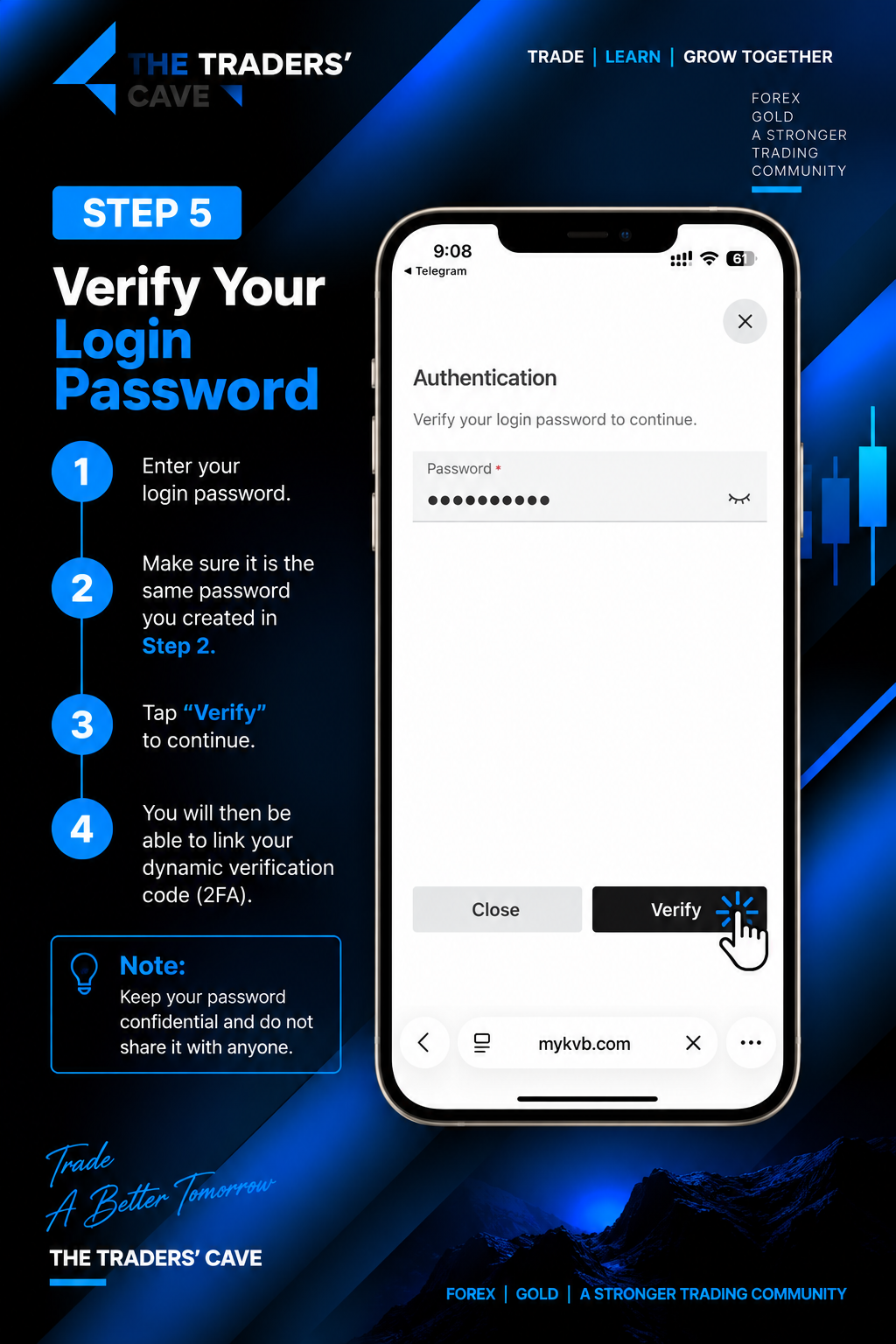
Enter the login password you created earlier and tap “Verify” to confirm your identity and continue with the 2FA setup.
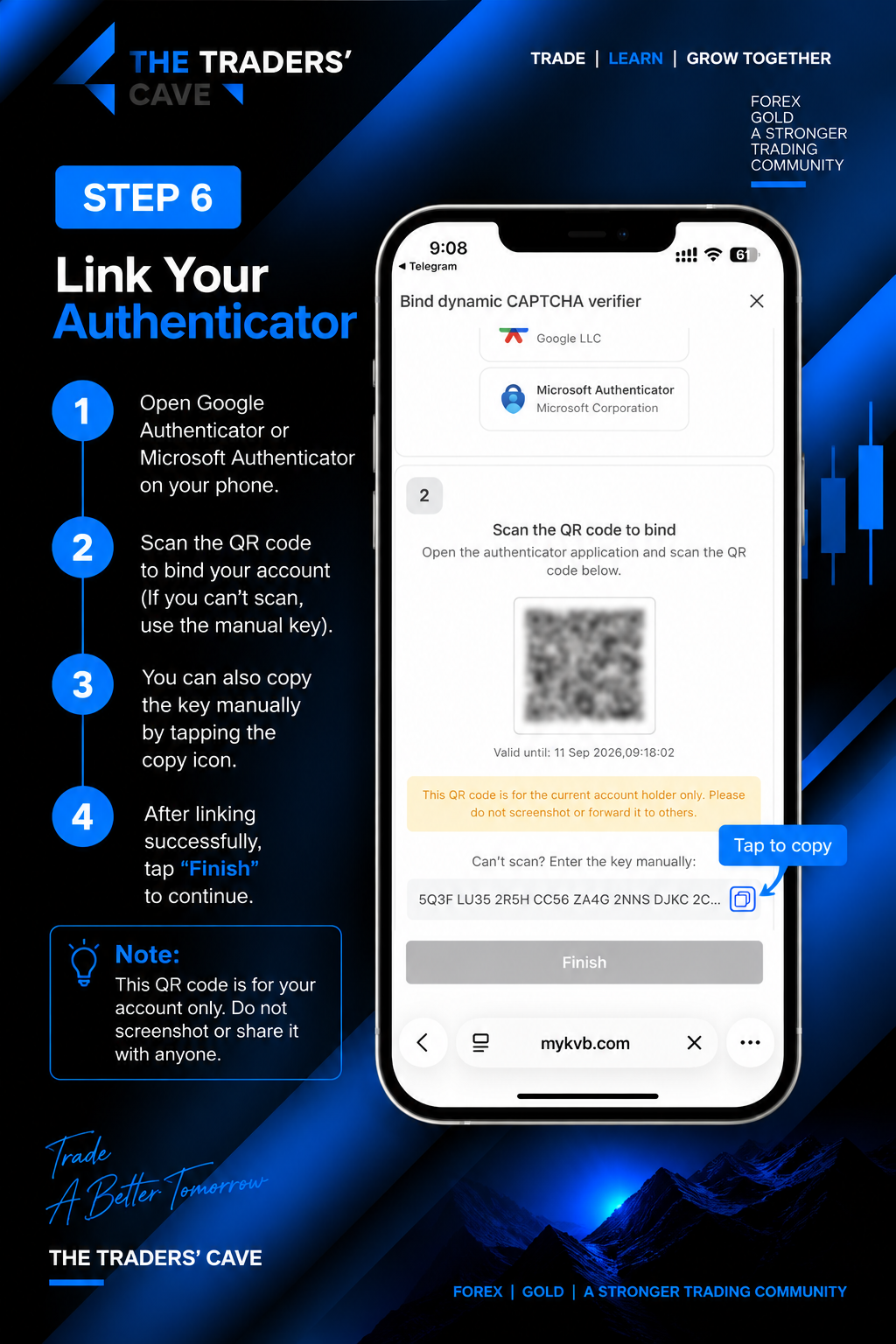
Open Google Authenticator or Microsoft Authenticator and scan the QR code to link your account. If you cannot scan the QR code, copy and use the manual key provided.
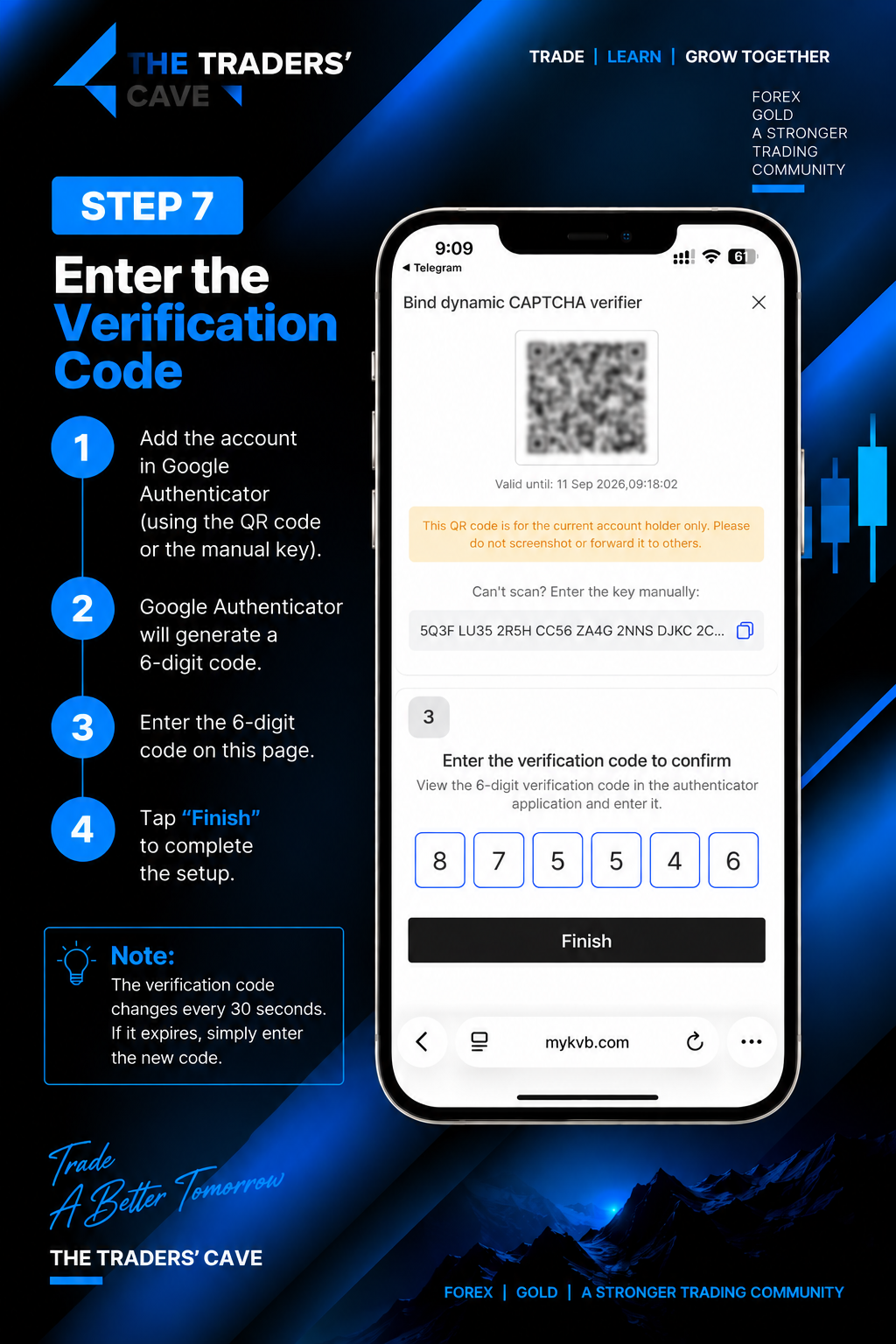
After adding the account to your authenticator app, enter the generated 6-digit verification code and tap “Finish” to complete the setup.
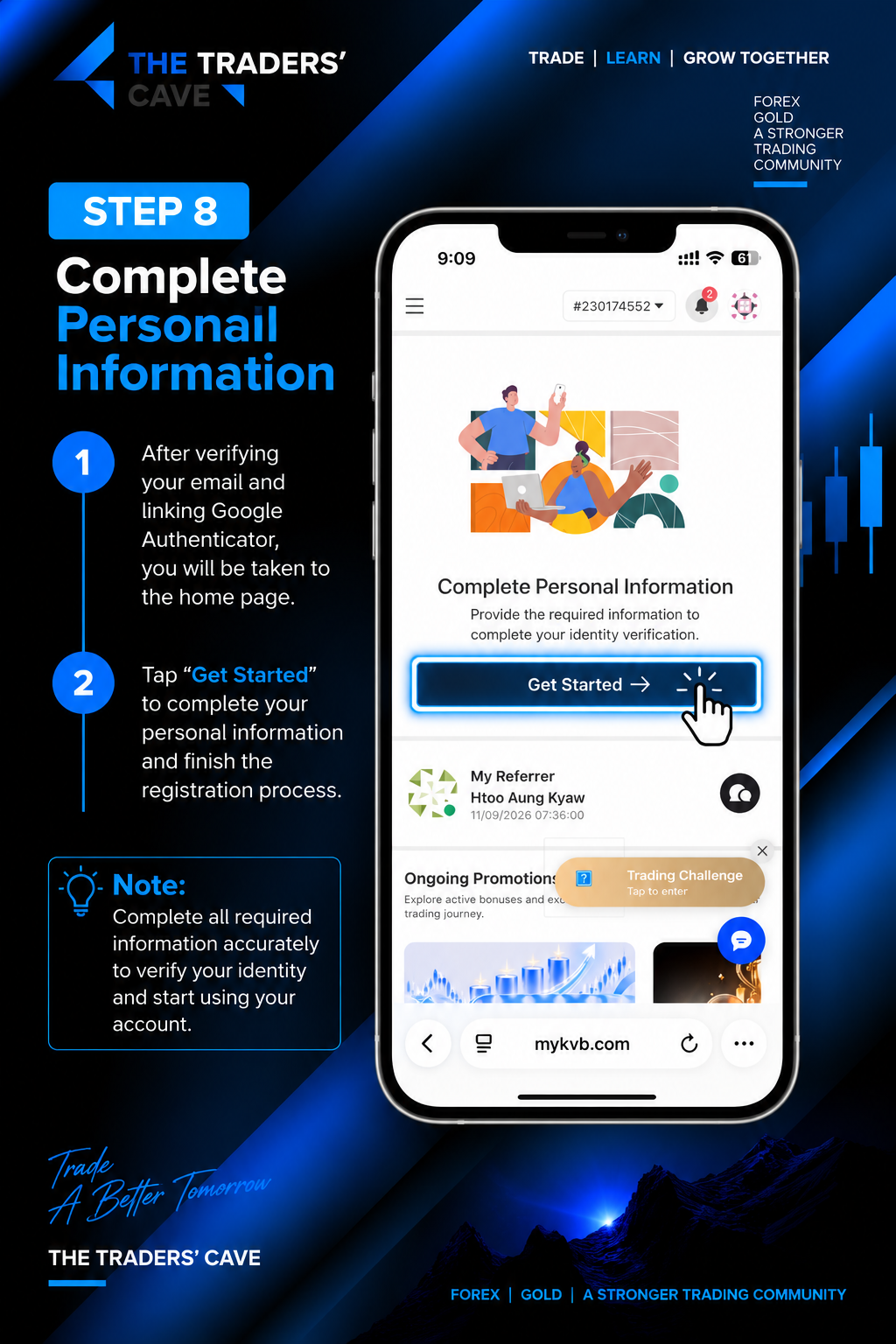
After completing the security setup, tap “Get Started” under Complete Personal Information to continue your identity verification.
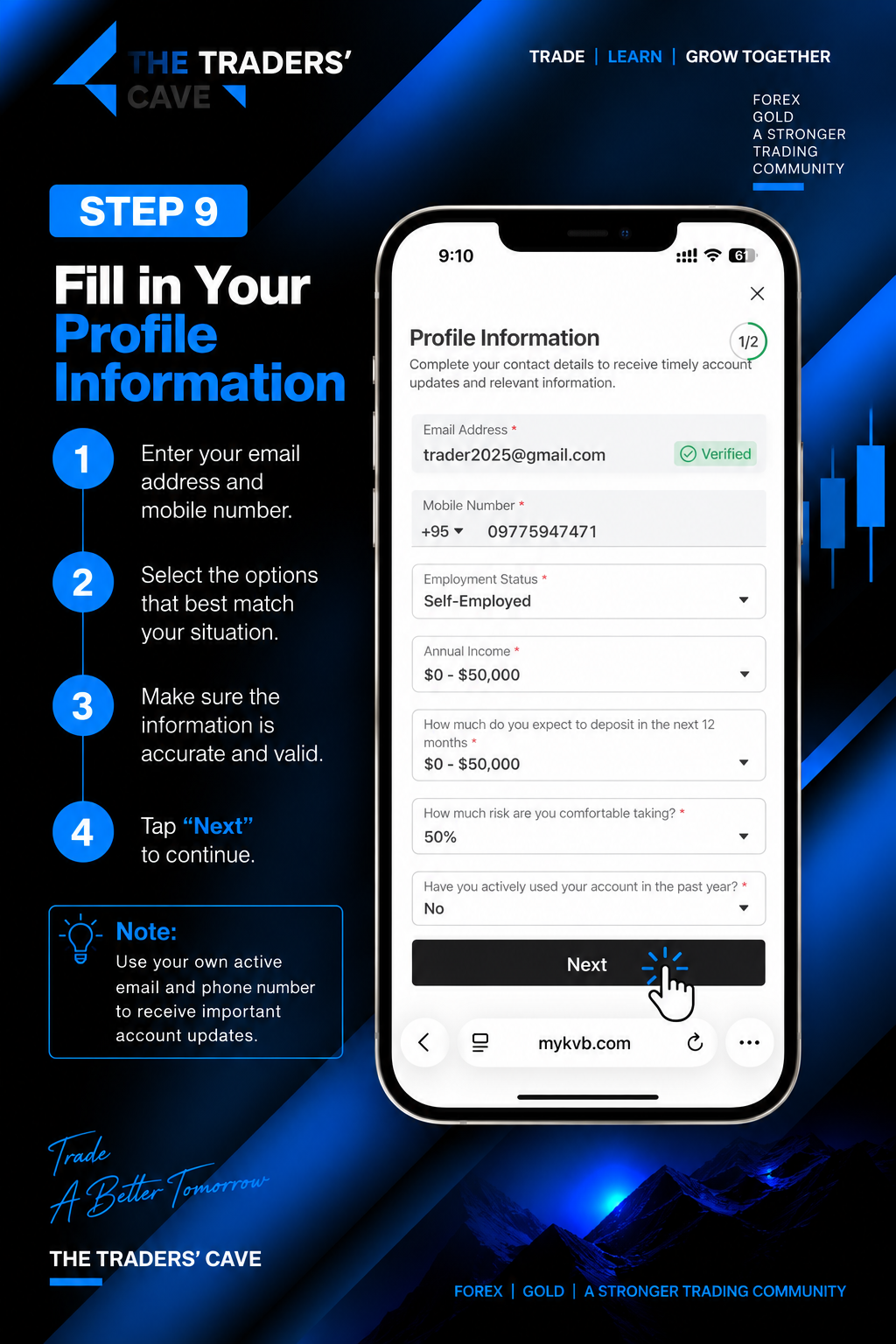
Enter your contact and profile information accurately, including your active email address and mobile number. Complete the required fields and tap “Next”.
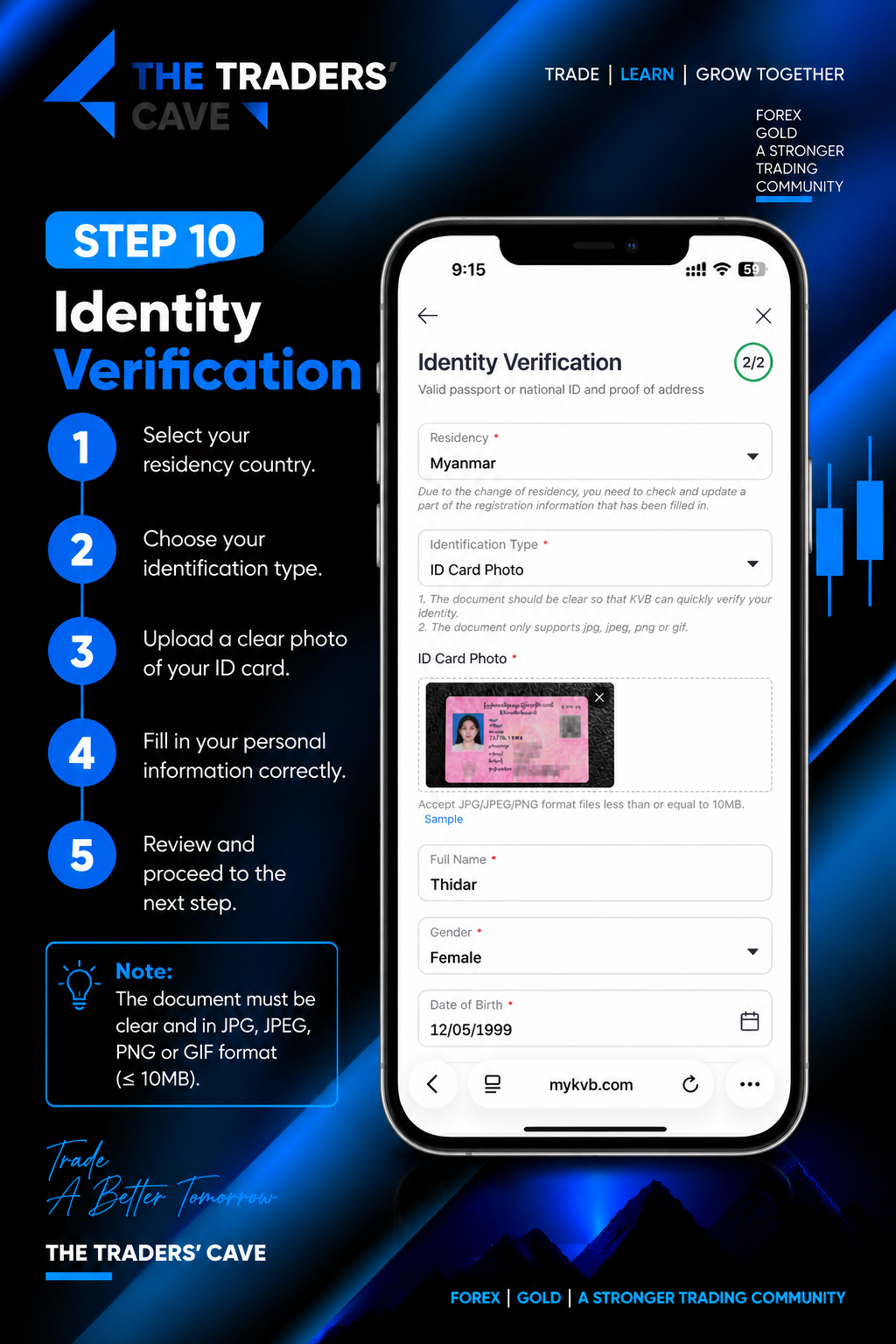
Select your residency country and identification type, then upload a clear image of your valid identification document. Complete the required personal information accurately.
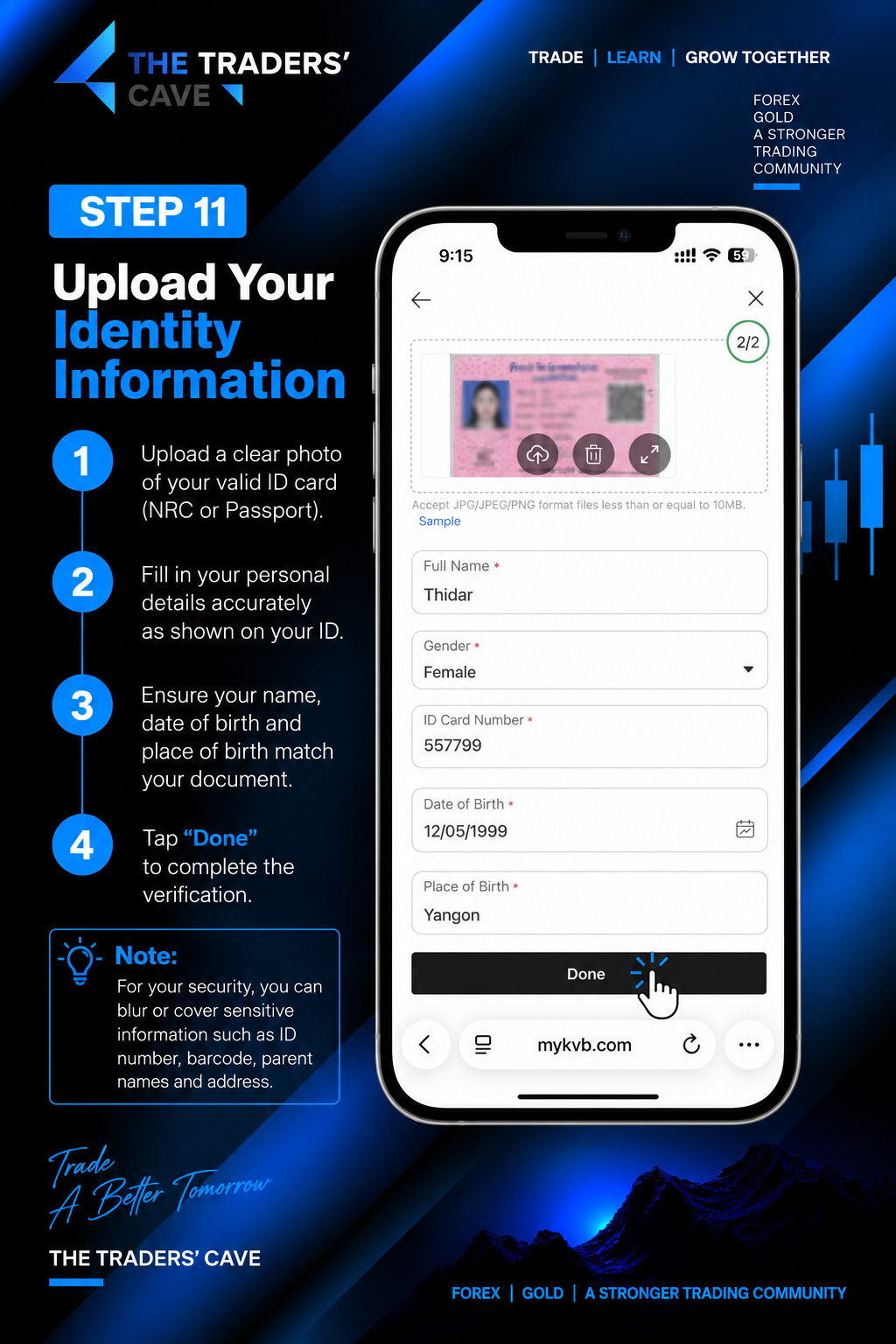
Review your uploaded identity document and personal details. Make sure your name, gender, ID information, date of birth and place of birth match your document, then tap “Done”.
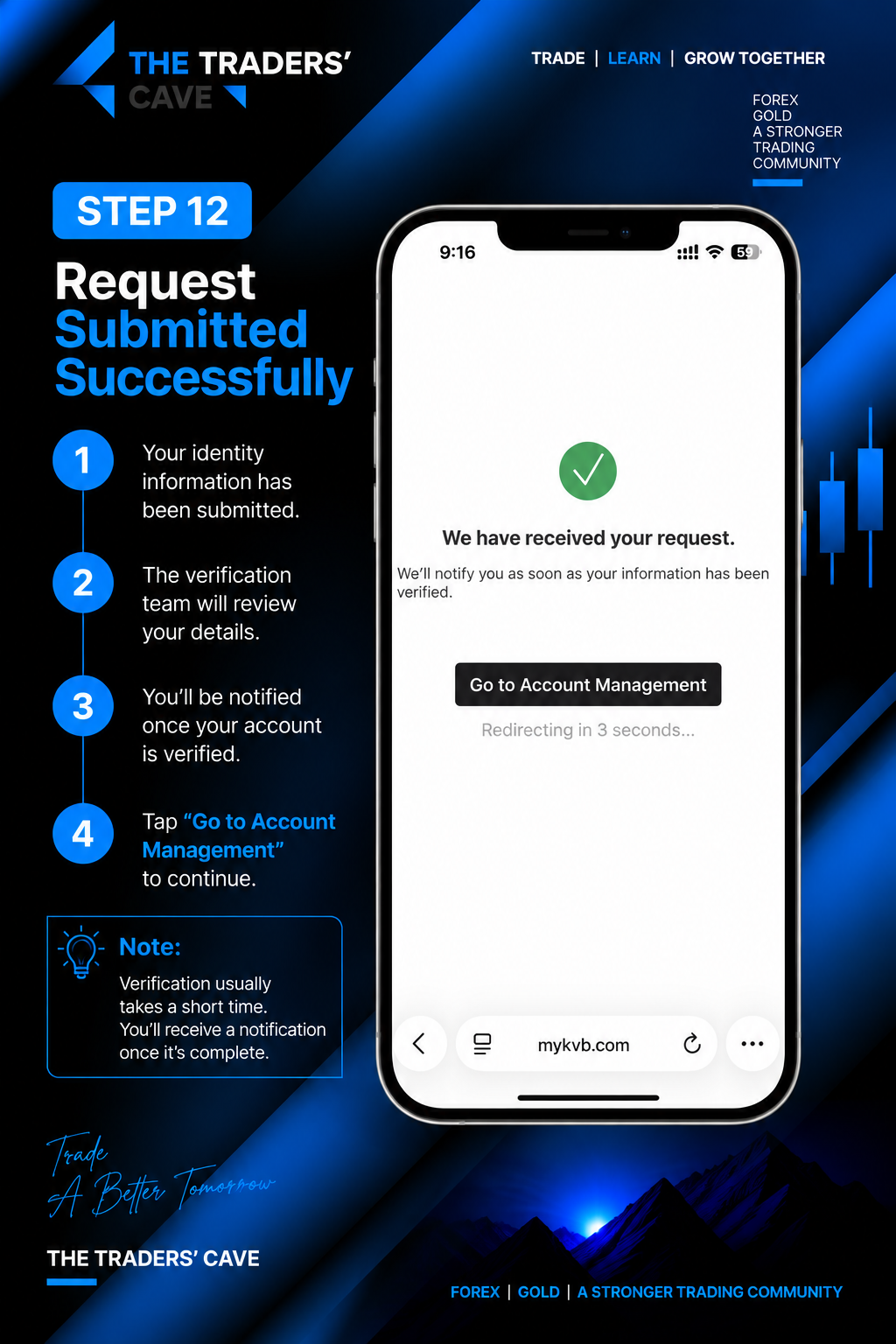
Your identity verification request has been submitted successfully. The verification team will review your information. Tap “Go to Account Management” to continue.
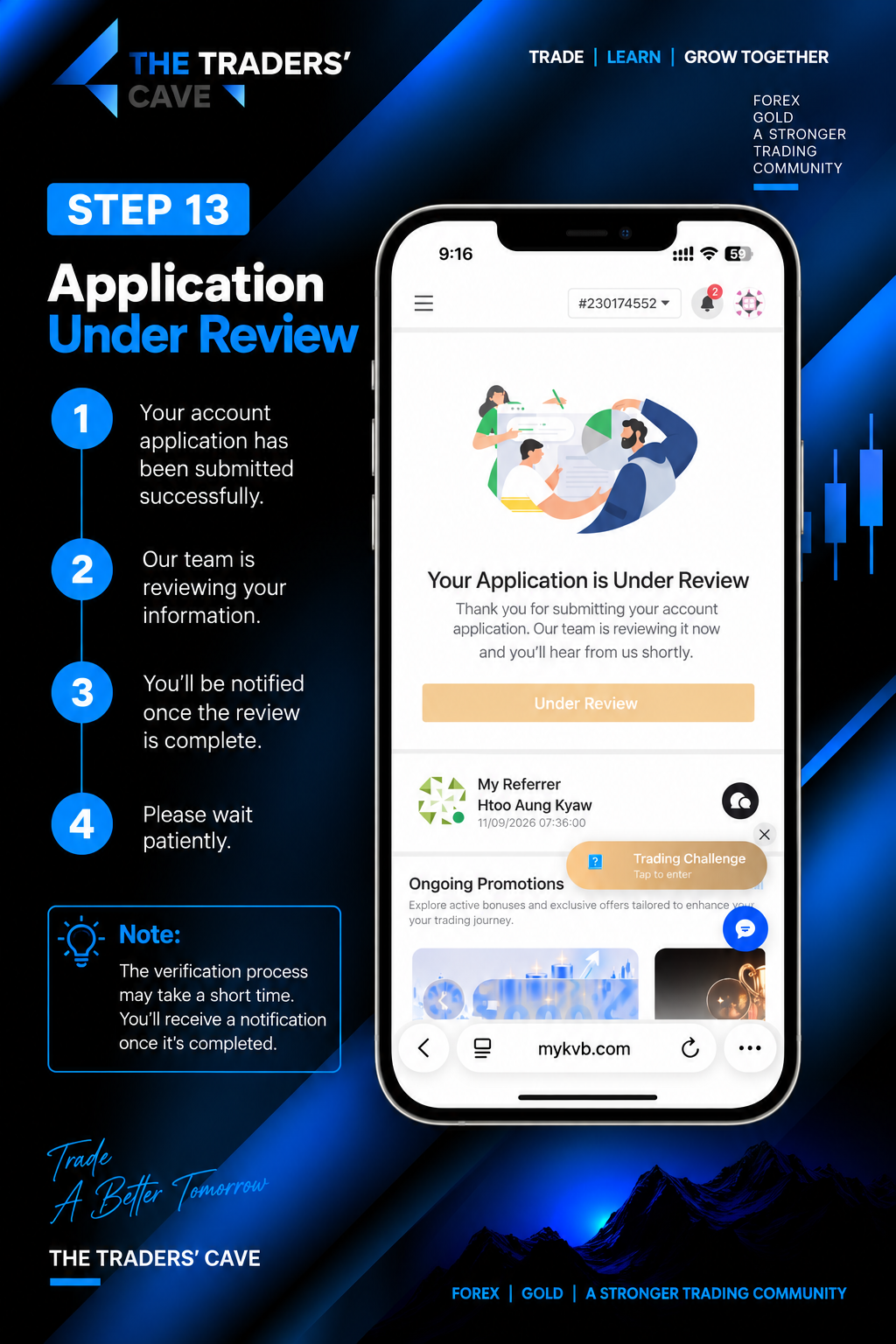
Your account application is under review. Please wait for the verification process to be completed. You will be notified when the review is finished.
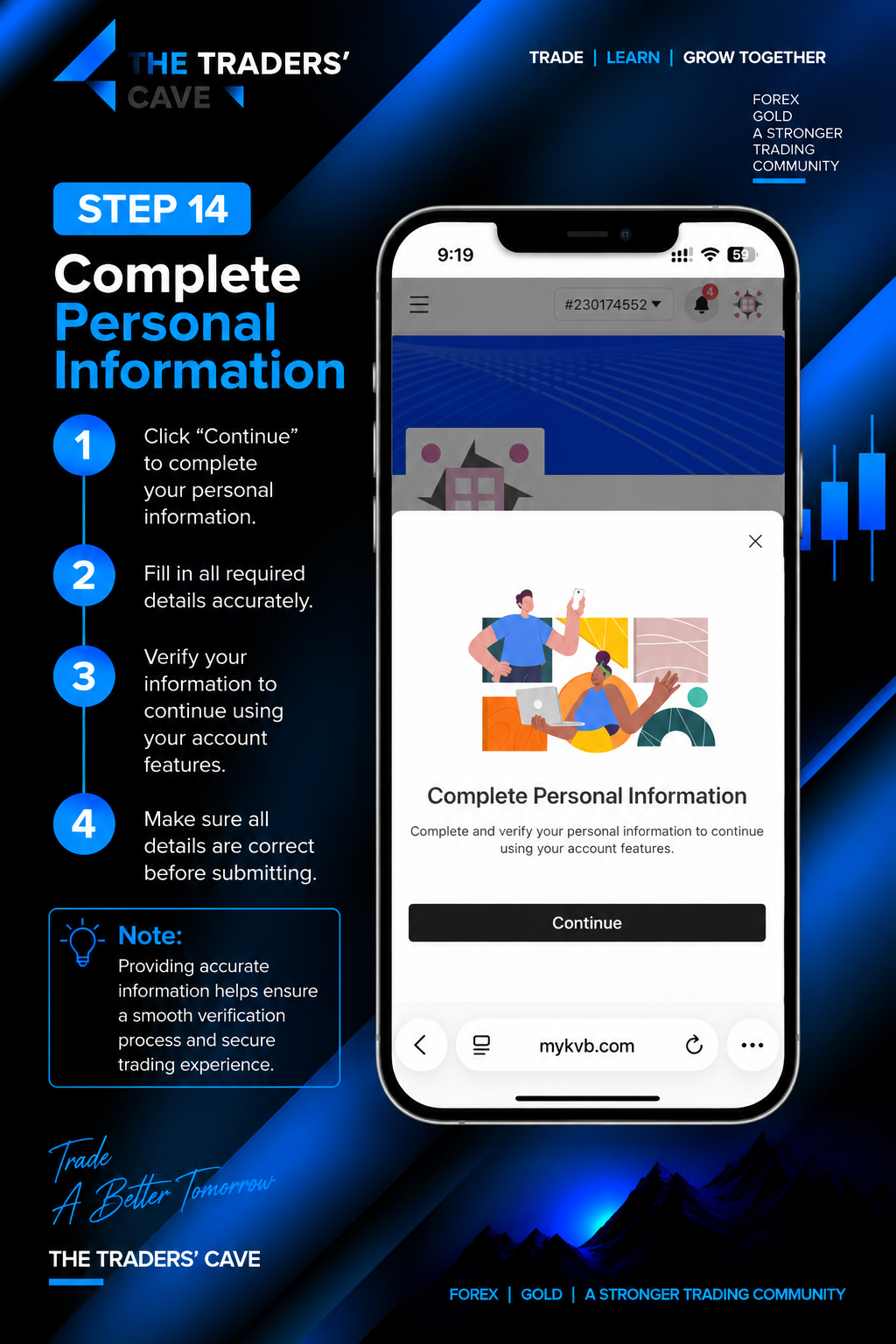
When prompted to complete your personal information, tap “Continue” and complete all required information accurately.
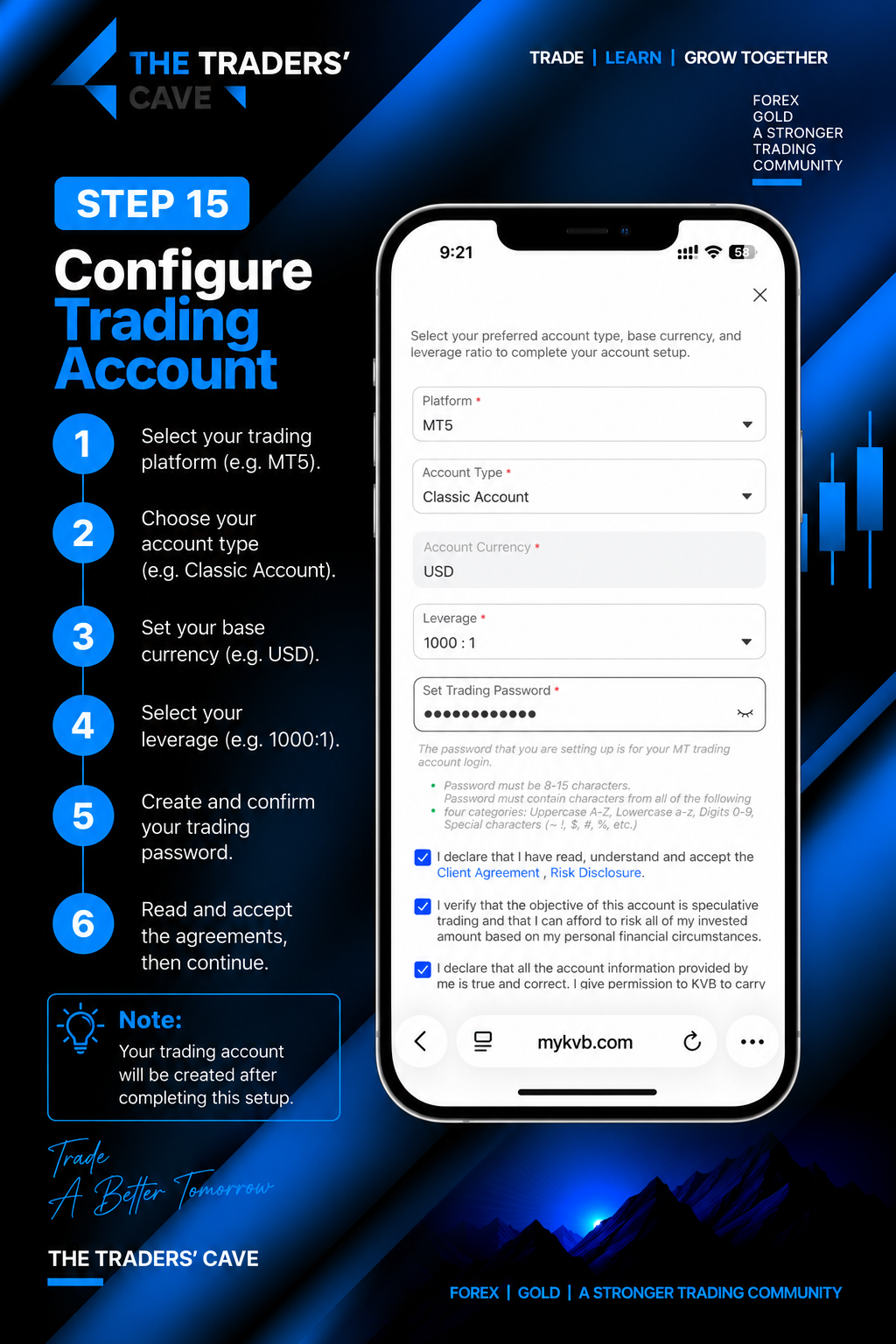
Configure your trading account by selecting your preferred trading platform, account type, account currency and leverage. Create your trading password, review the agreements and continue.
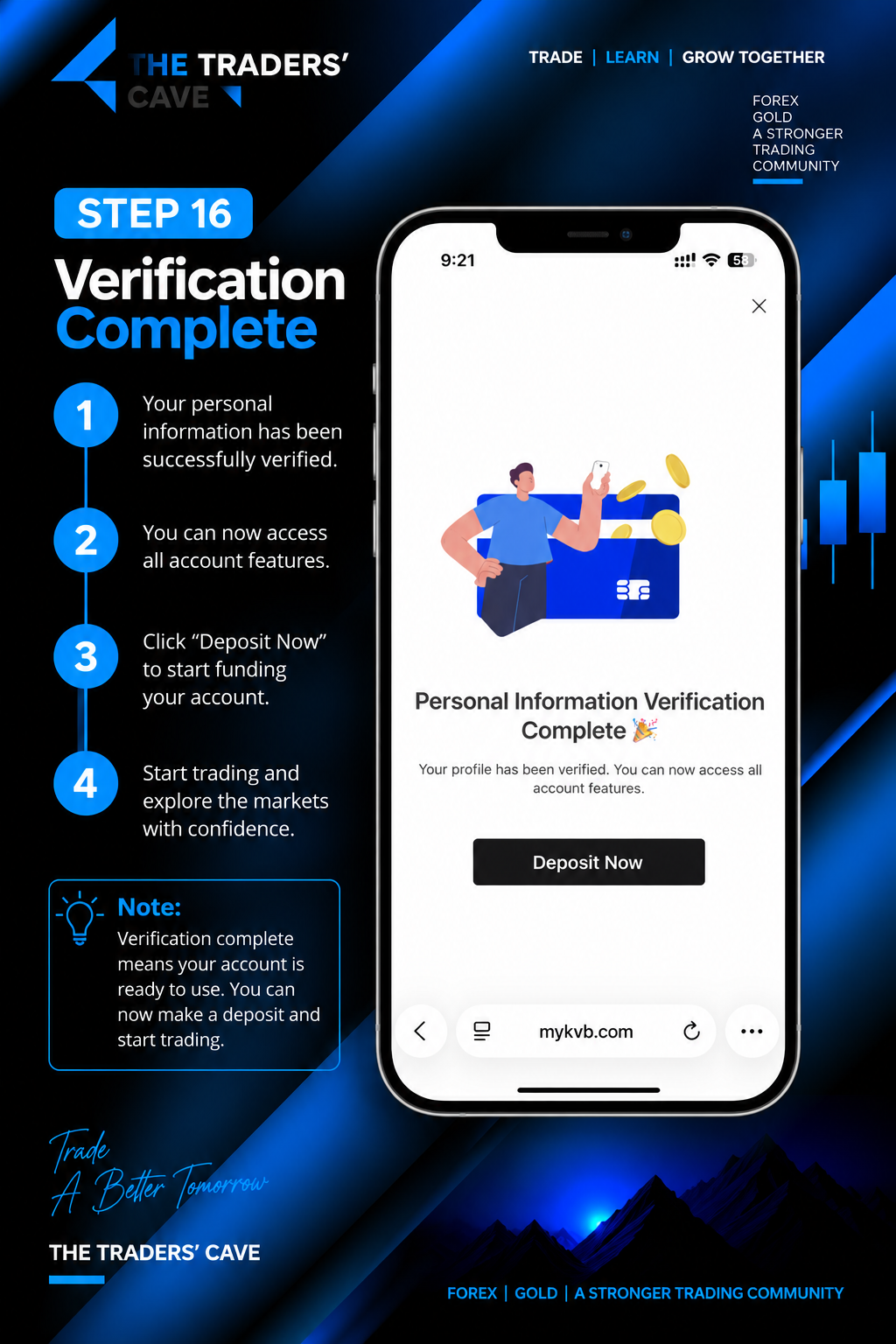
Once your personal information verification is complete, your profile will be verified and the available account features can be accessed.
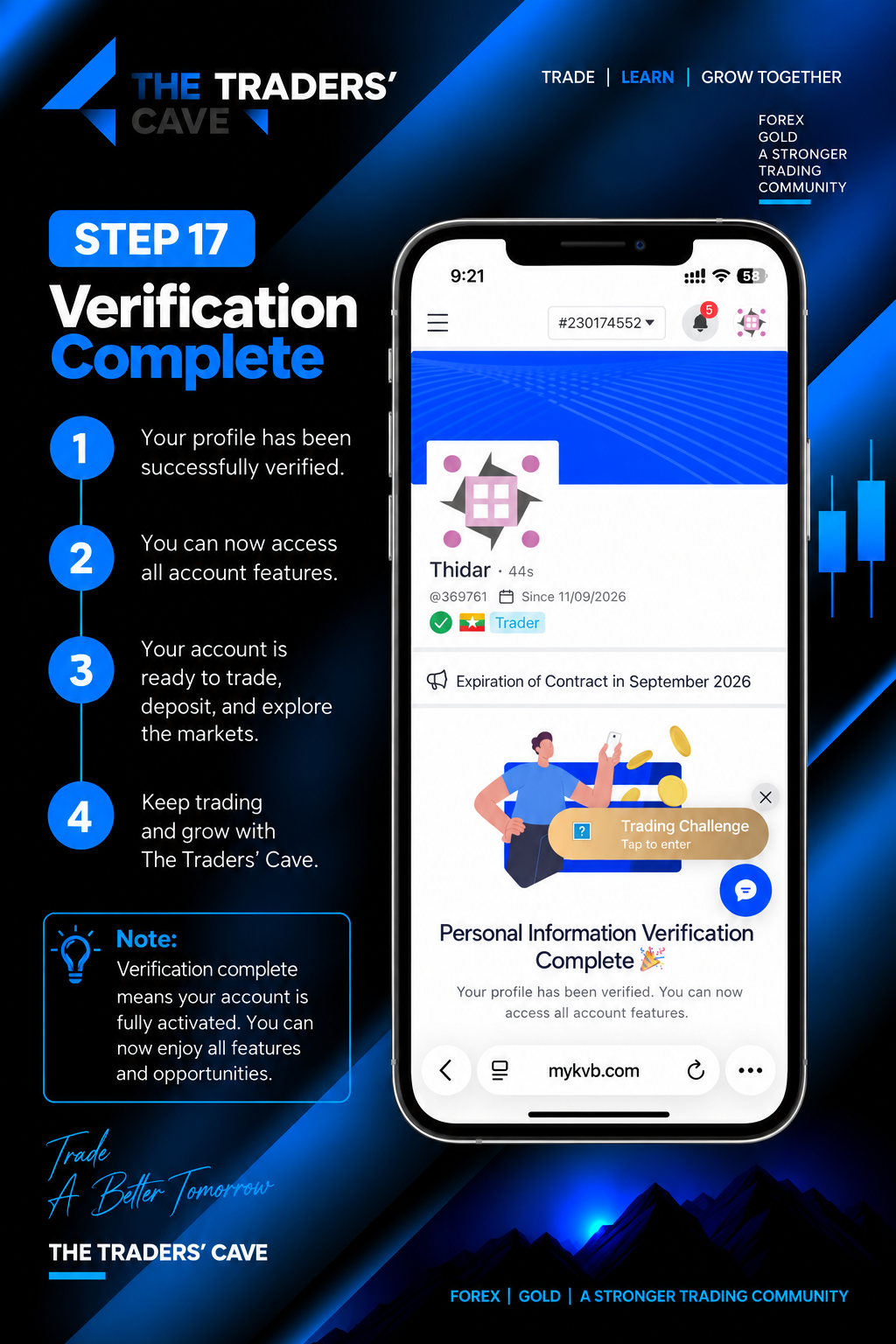
Check your profile to confirm that the verification process has been completed successfully and your account features are available.
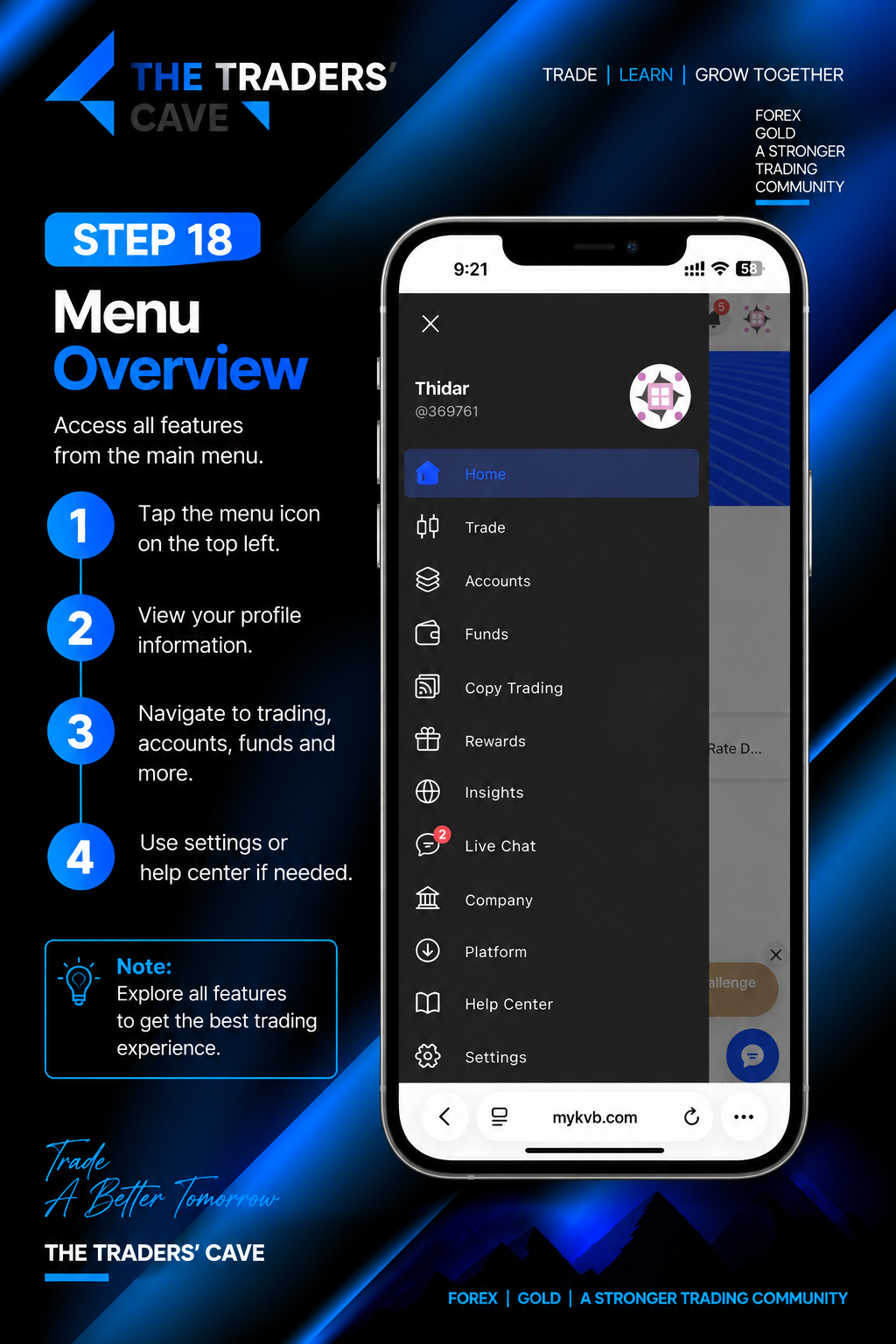
Open the main menu to access your profile, Trade, Accounts, Funds, Platform, Help Center, Settings and other available features.
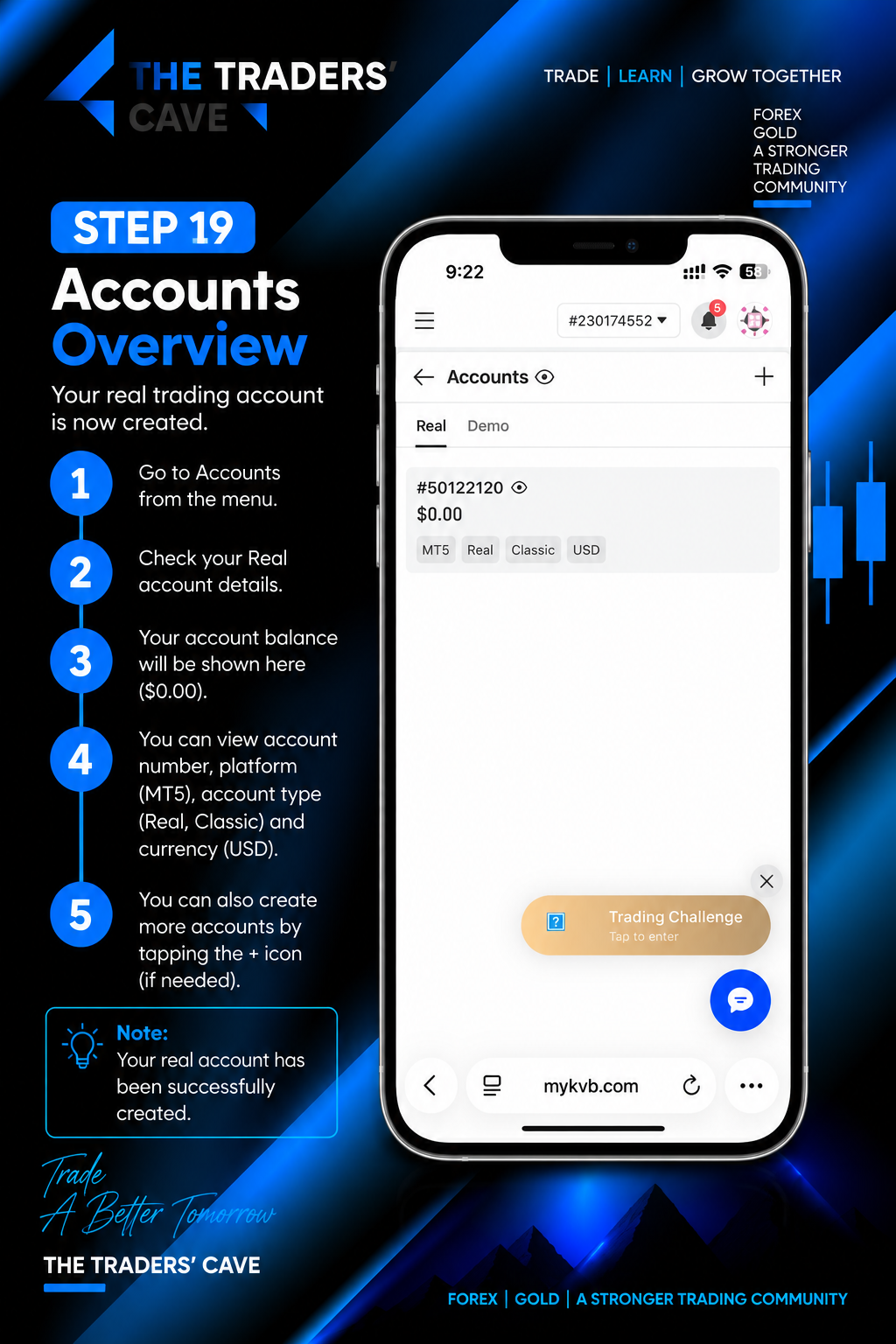
Go to “Accounts” from the main menu and check your newly created Real Trading Account. Review your account number, platform, account type, currency and other account details.