





MH Markets
MH Markets is an online trading broker providing access to global financial markets through professional trading platforms.
About MH Markets
MH Markets provides online trading services across a range of global financial markets. Traders can access products such as Forex, precious metals, indices, commodities and CFDs through supported trading platforms. The broker offers multiple account options and trading tools designed for different trading needs. The Traders’ Cave provides broker information and support to help traders understand the available services before opening an account.
Available Services
Key Highlights
How to Register with MH Markets?
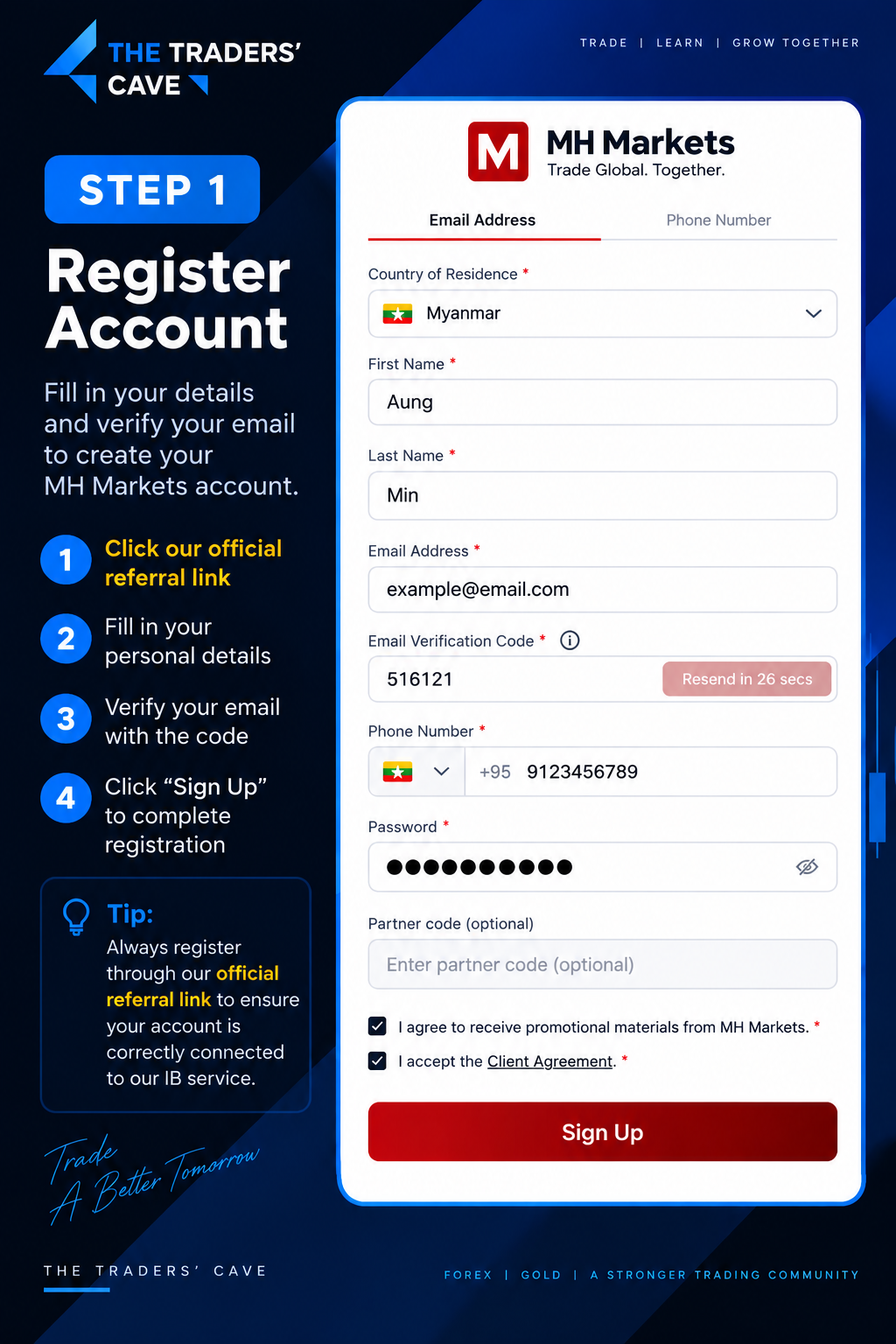
Click our official referral link, fill in your personal details, verify your email with the verification code, and click “Sign Up” to create your MH Markets account.
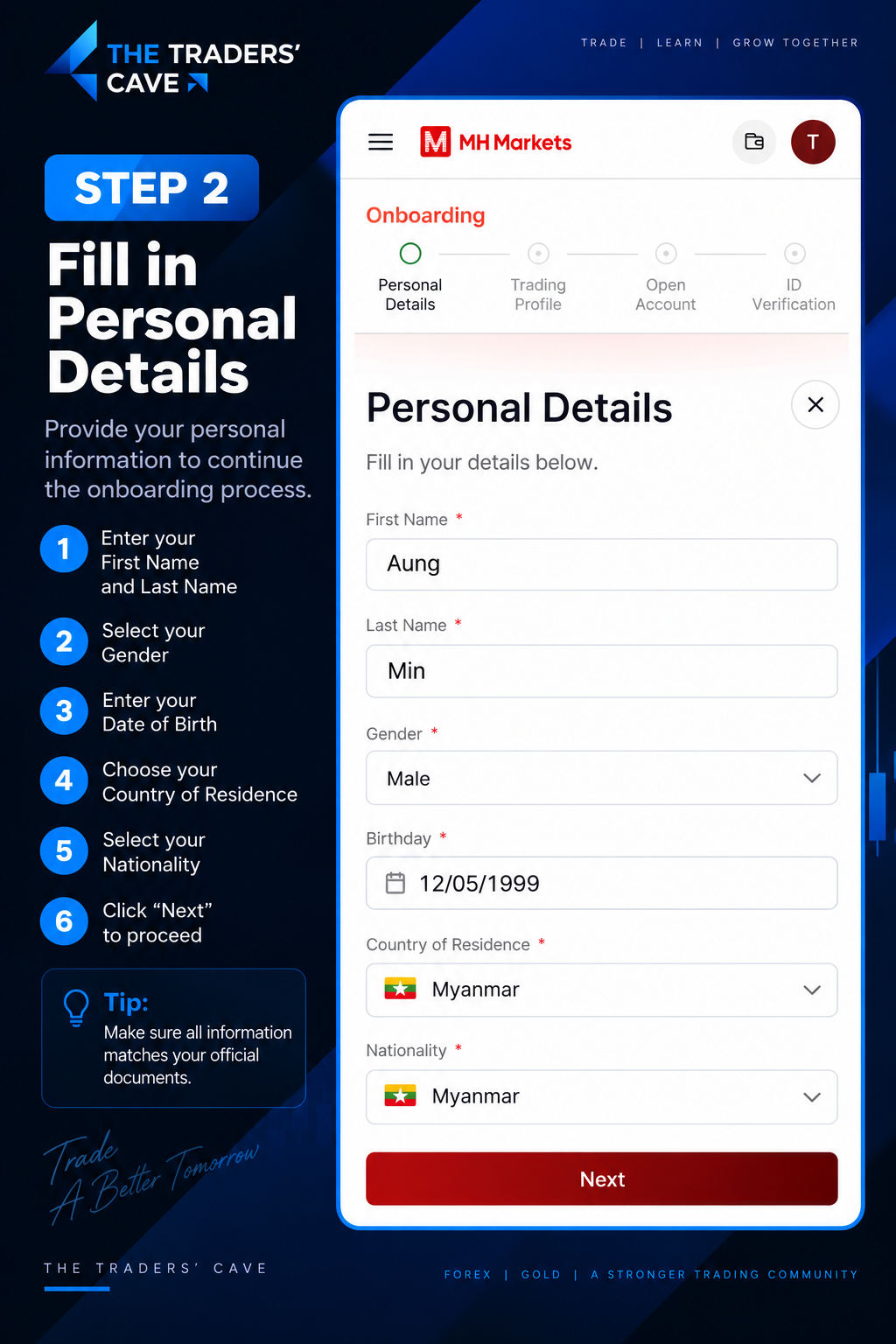
Enter your personal details including your First Name, Last Name, Gender, Date of Birth, Country of Residence and Nationality, then click “Next”.
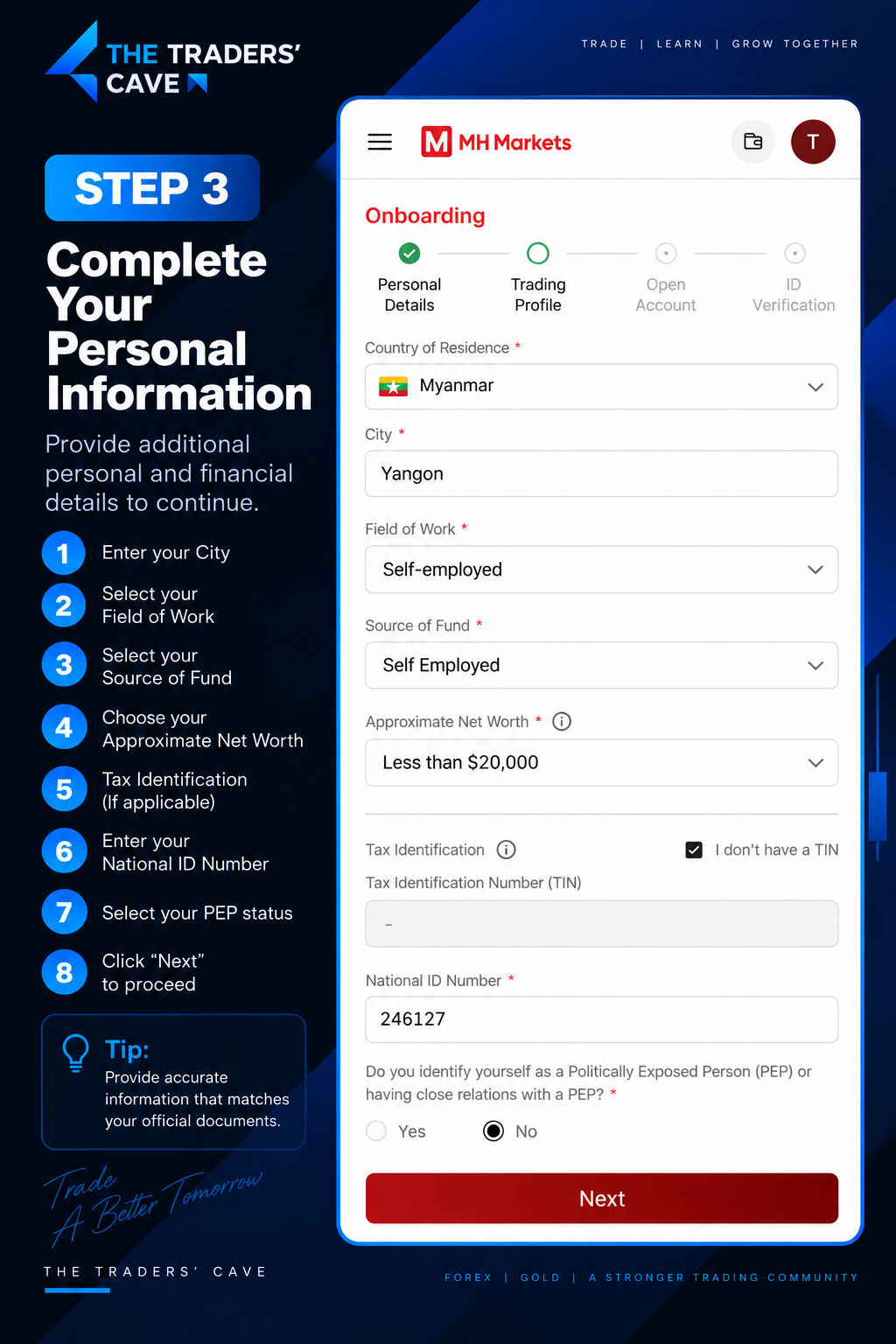
Complete the required personal and financial information, including your City, Field of Work, Source of Fund, Approximate Net Worth, Tax Information (if applicable), National ID Number and PEP status. Then click “Next”.
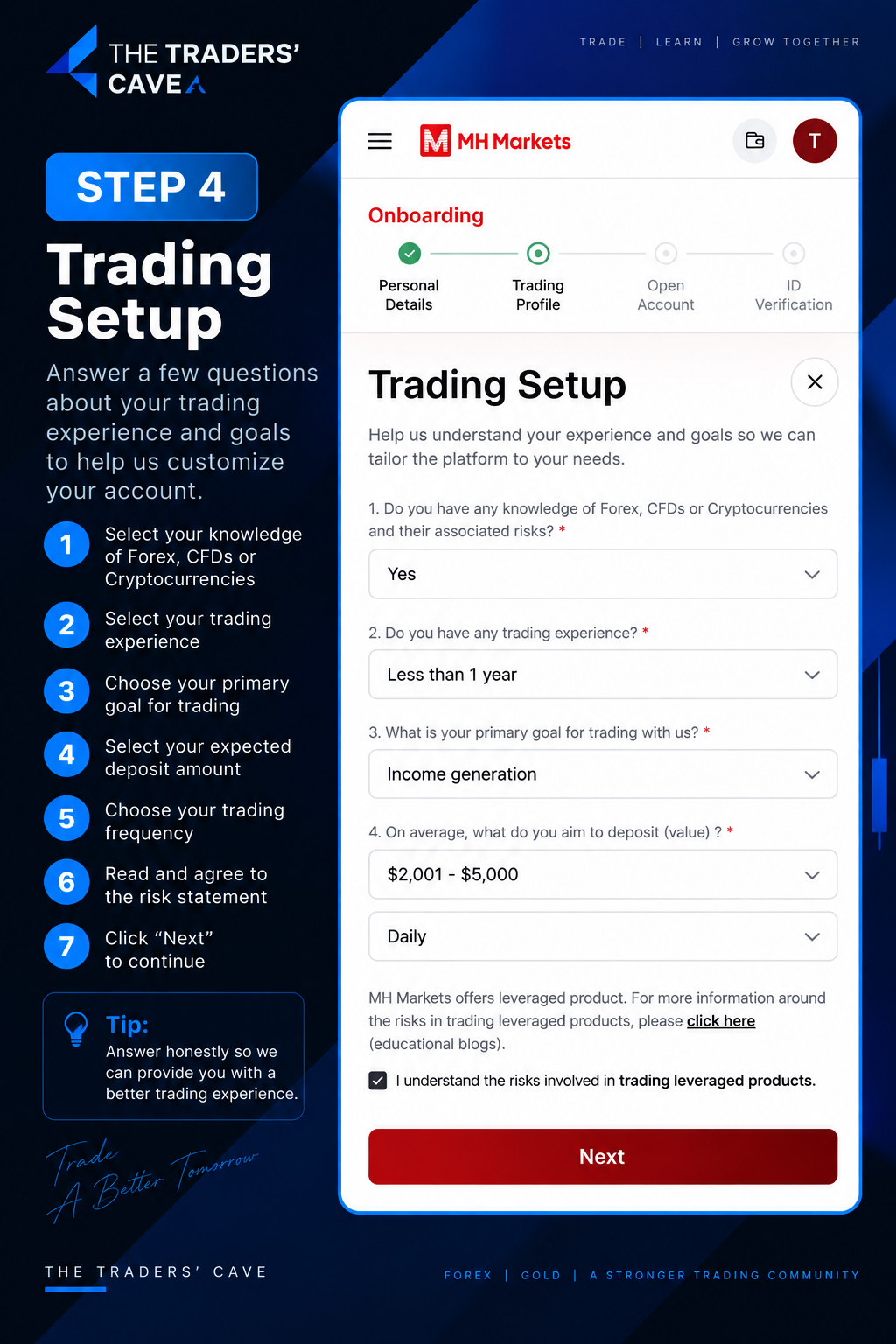
Complete the Trading Setup questions based on your actual trading knowledge, experience, goals, expected deposit amount and trading frequency. Read and accept the risk statement, then click “Next”.
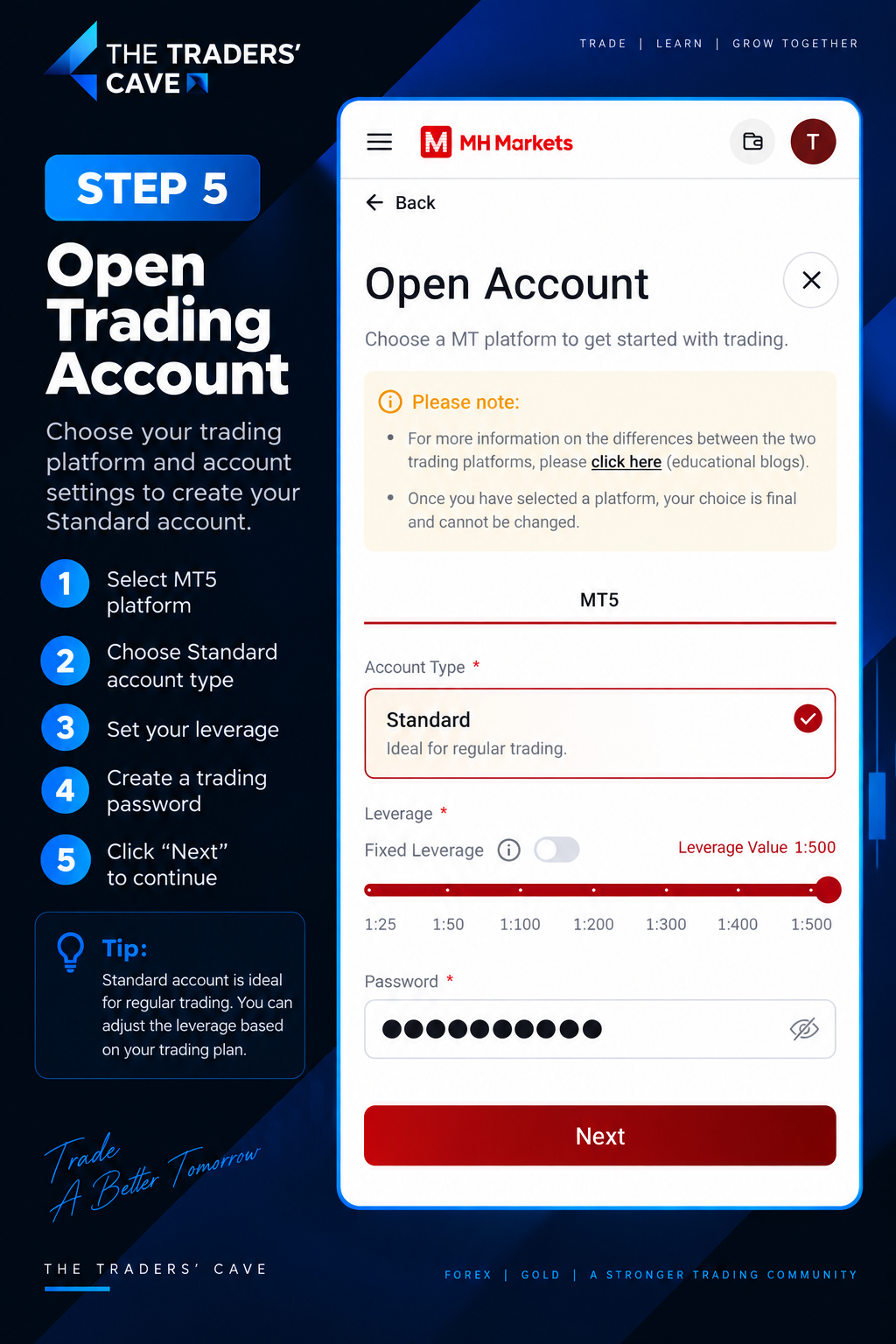
Select MT5 as your trading platform, choose the Standard account type, set your preferred leverage and create your trading password. Then click “Next”.
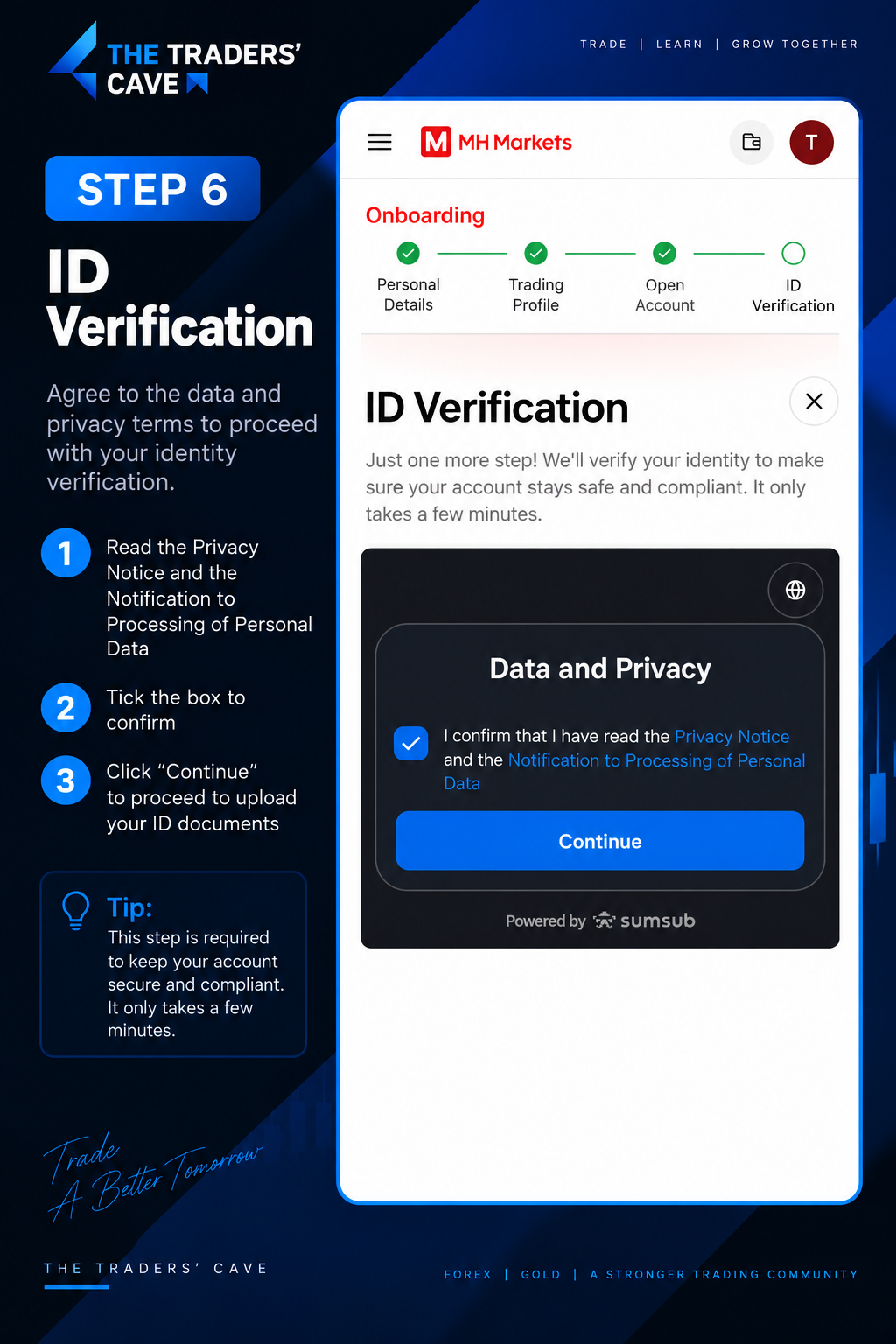
Read the Privacy Notice and Notification to Processing of Personal Data. Tick the confirmation box and click “Continue” to begin identity verification.
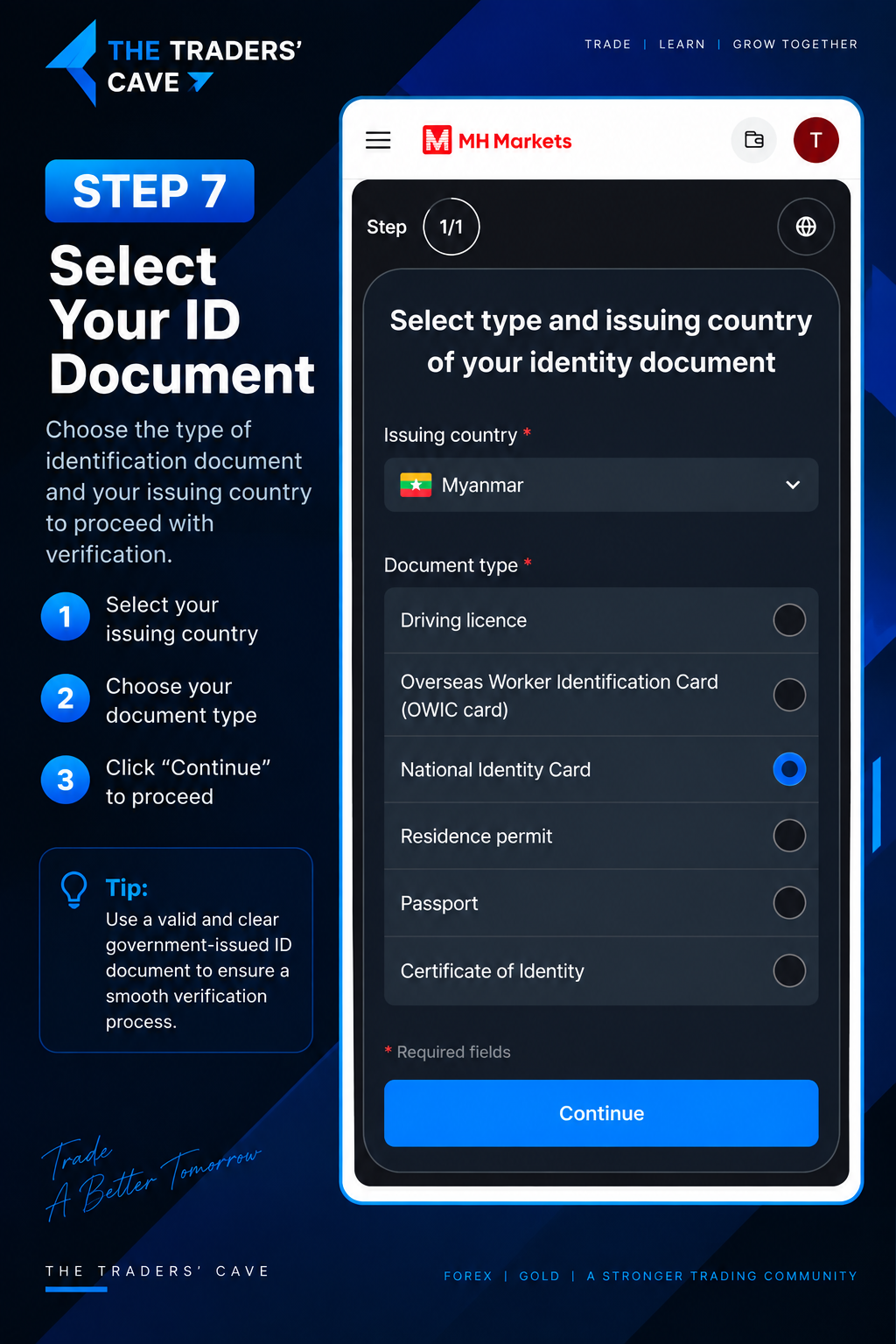
Select your ID document’s issuing country and choose the appropriate document type, such as a National Identity Card or Passport. Then click “Continue”.
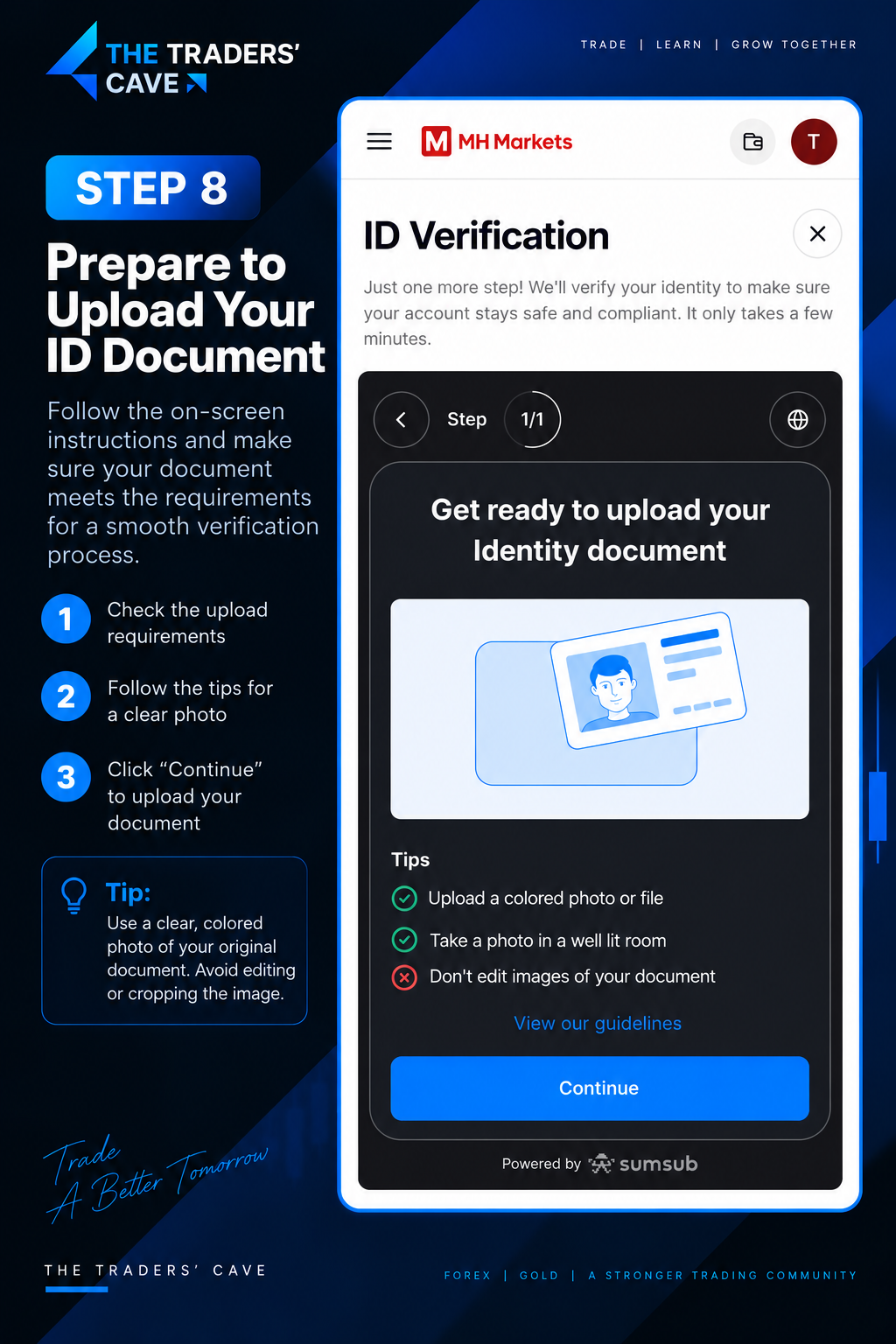
Review the document upload requirements and prepare a clear, colored image of your original identity document. Make sure the document is clearly visible and not edited or cropped, then click “Continue”.
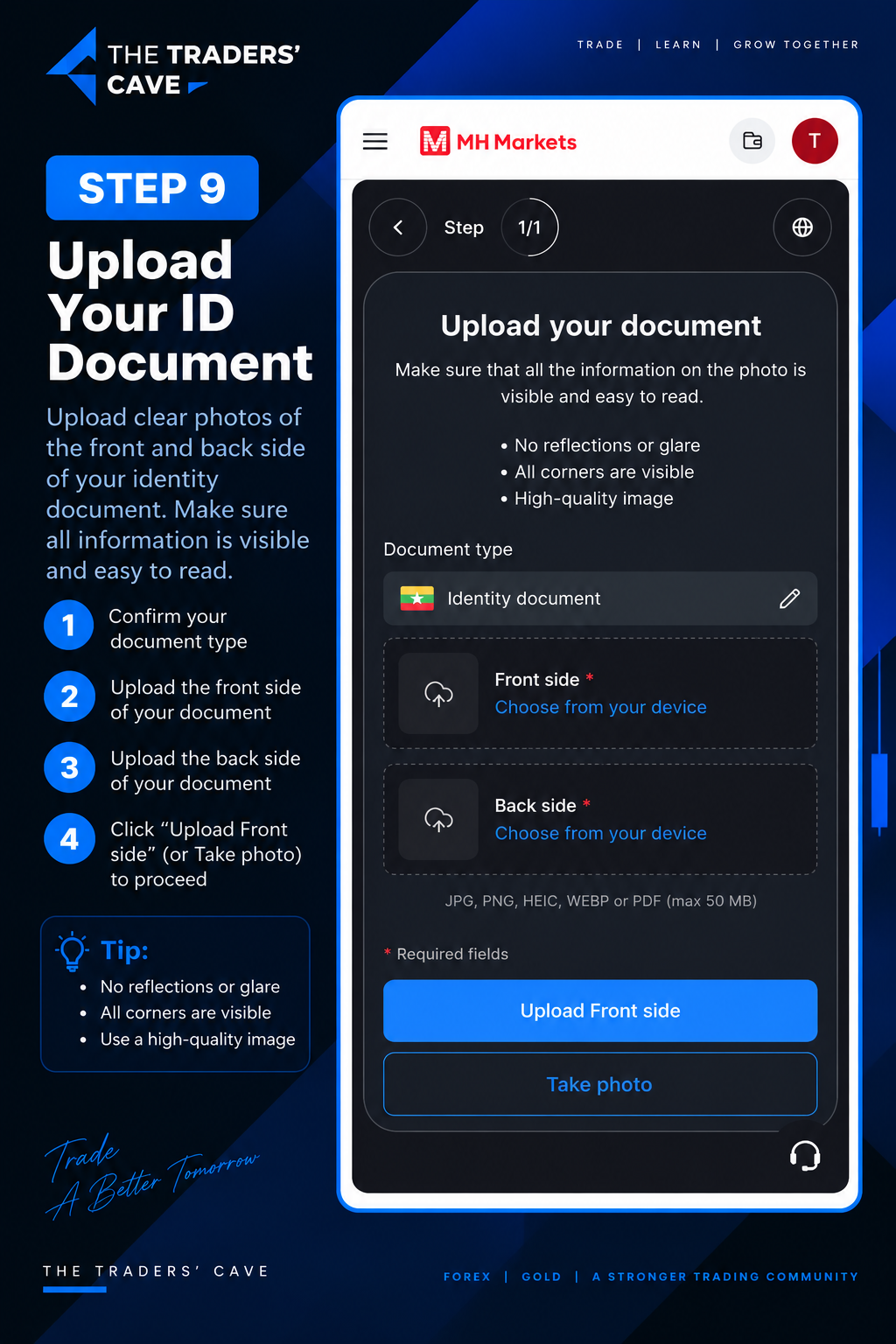
Upload clear images of the front and back sides of your identity document. Make sure all information and corners are clearly visible with no reflections or glare.
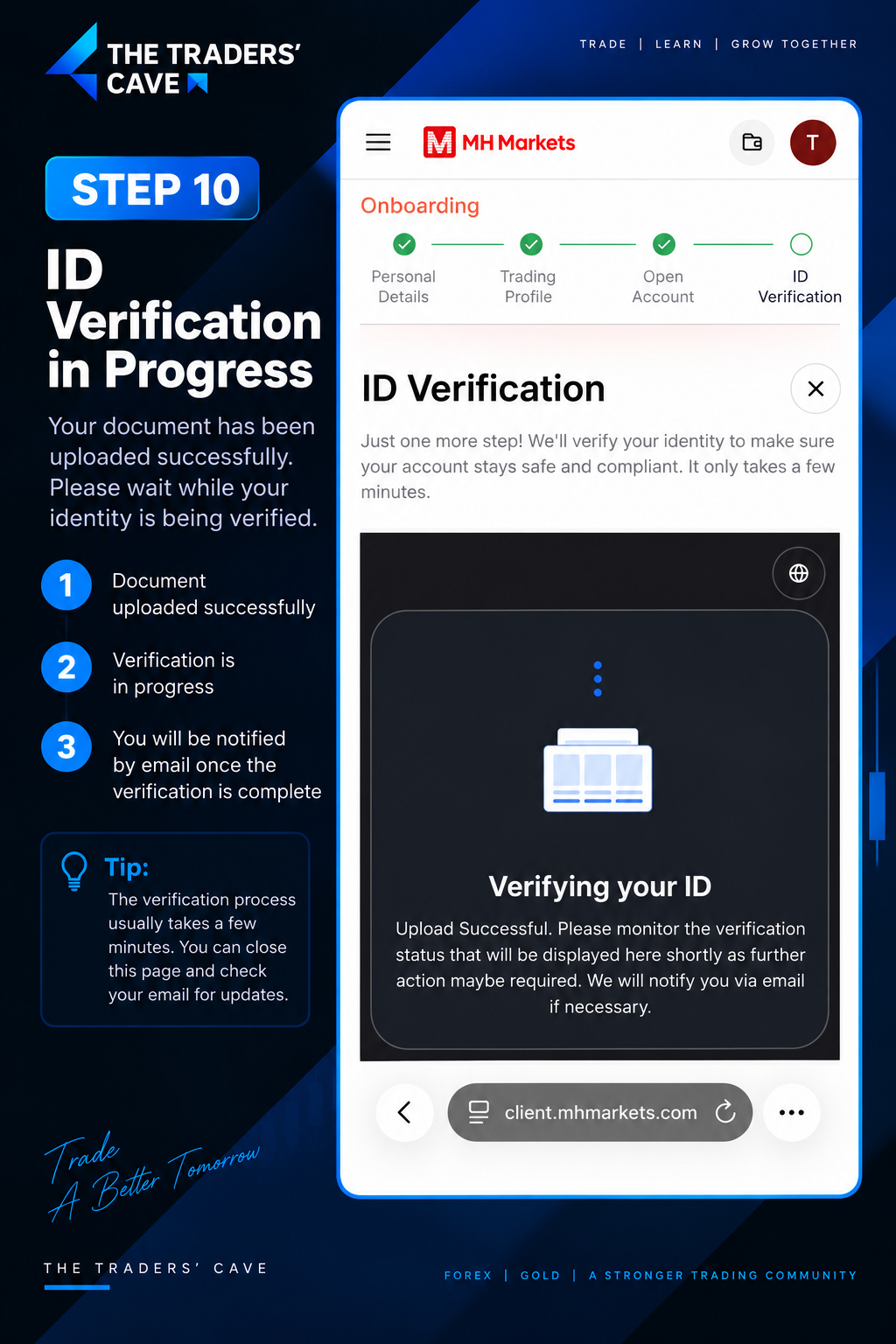
After your ID document has been uploaded successfully, wait while MH Markets verifies your identity. Monitor the verification status and check your email for any required updates or additional actions.
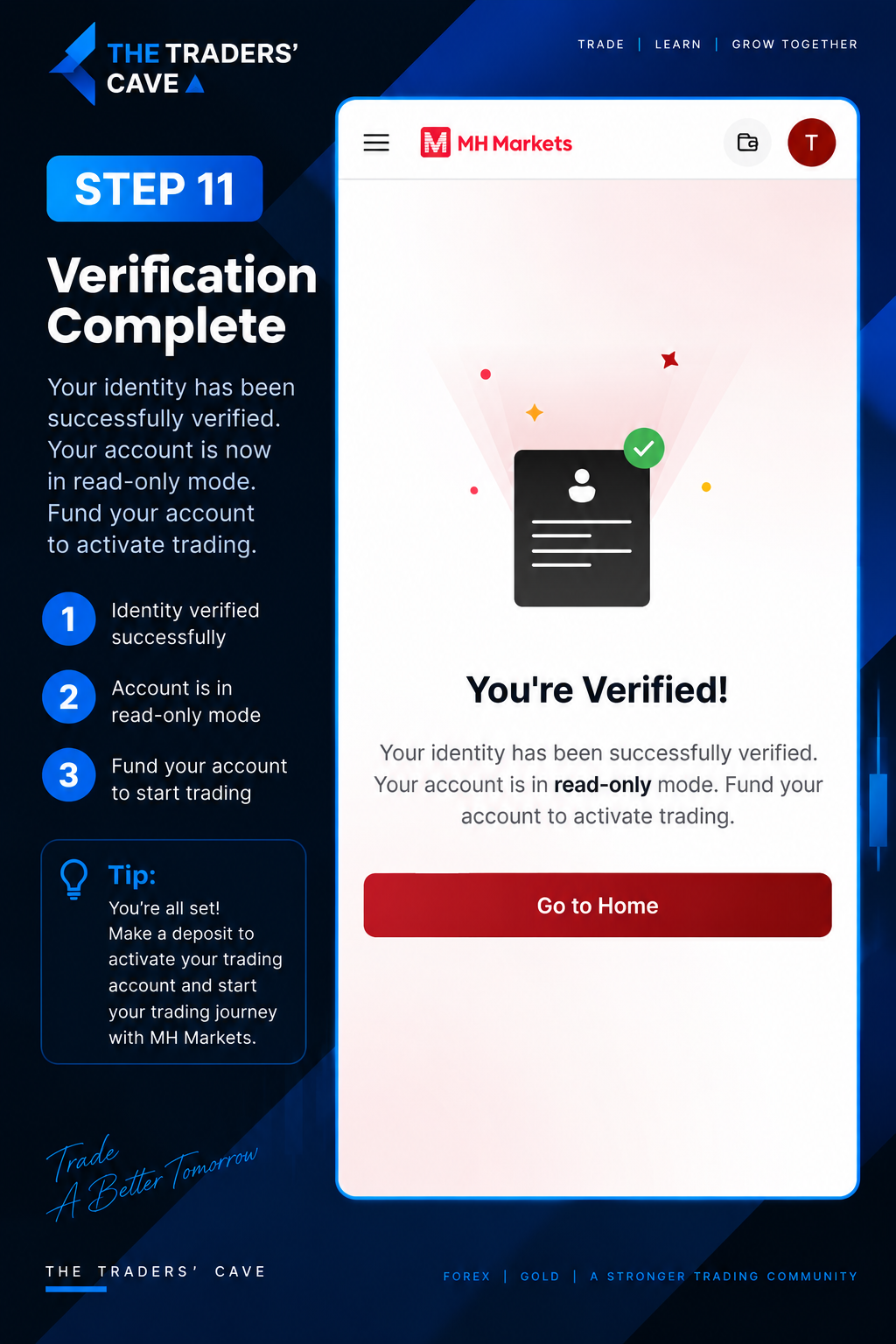
Once your identity verification is successfully completed, your account will be verified.Follow the account instructions shown in the Client Portal to proceed with funding and trading.